
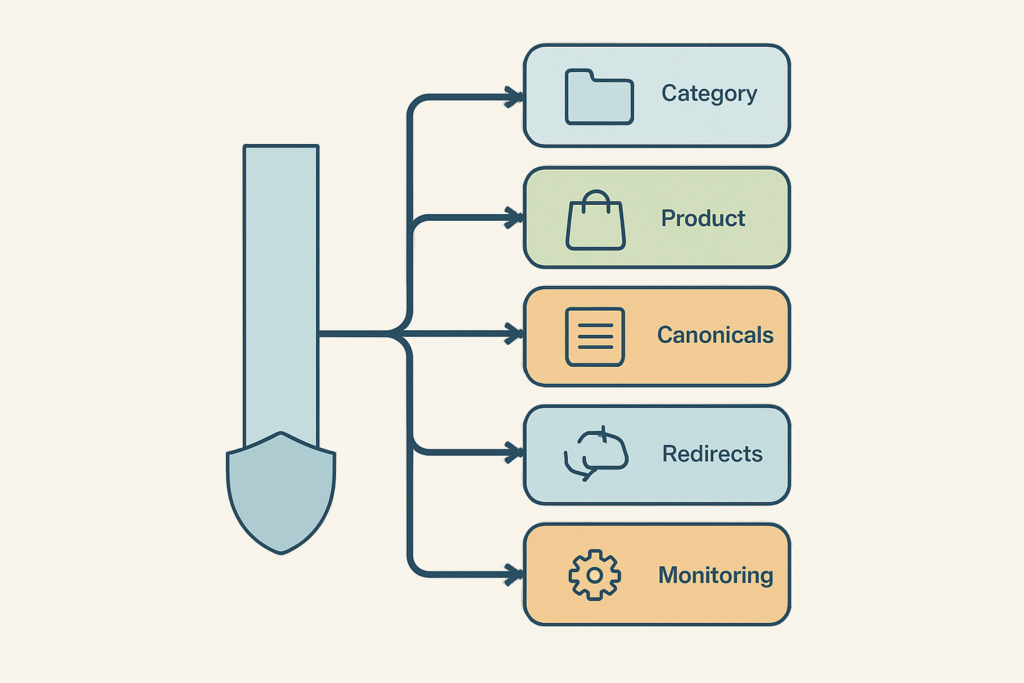

A properly optimized url should make sense before a shopper clicks it. It gives users and search engines a clear signal about the page, while reducing the duplicate-path, crawl, and migration problems that quietly drain ecommerce performance.
The old view treats URLs as cosmetic slugs to clean up when someone has spare time. High-performing Shopify and WooCommerce stores treat URL structure as operating infrastructure: it determines which category pages get reinforced, which product versions become indexable, and whether hard-earned links survive a platform change.
A clean path will not manufacture rankings on its own. It does, however, support clearer relevance, more reliable crawling, better internal linking, and a site architecture that merchandising teams can scale without creating thousands of accidental near-duplicates.
What Is a Properly Optimized URL?
A properly optimized URL is a short, descriptive web address that reflects the page’s content, uses readable words and hyphens, and avoids unnecessary parameters or clutter. It helps users and search engines understand the page before they open it.
A URL is the address itself. A clickable link is the element that sends someone to that address. For a product page such as https://store.com/running-shoes/womens-trail-shoes, https is the protocol, store.com is the domain, /running-shoes/ is the path, and womens-trail-shoes is the slug. Add ?sort=price at the end and you have a parameter, also called a query string.
SEO-friendly URLs are one part of user experience. They make search-result paths, copied links, analytics reports, and internal handoffs easier to interpret. For deeper fundamentals, Moz’s guide to SEO-friendly URLs is a useful reference.
What a Good URL Looks Like
A proper URL example gives context without forcing the shopper to decode it:
- Good:
store.com/running-shoes/womens-trail-shoes - Risky:
store.com/product?id=847&cat=3&sort=top
The first version is lowercase, hyphen-separated, descriptive, and aligned with a logical product hierarchy. The second exposes an opaque ID, mixes in category data, and includes a sort instruction that can produce another version of the same product or collection.
A good URL does not need to contain every attribute, SKU, campaign label, or keyword variation. Its job is to accurately identify the page’s durable purpose.
Why URLs Matter Without Being a Magic Ranking Lever
Keywords in a URL are often overvalued. Google’s John Mueller has advised site owners to make URLs for users, which is the right operating standard for ecommerce teams.
URL optimization can help search engines interpret a page, help shoppers recognize a relevant result, and make links more trustworthy when shared. But content quality, crawlability, internal linking, backlinks, product availability, and technical health carry far more weight in search engine rankings.
Treat URLs as an enabling signal. A useful category page with strong internal links and a stable canonical URL has a better foundation than a keyword-packed slug attached to a weak, isolated page.
The 7 Rules of an SEO-Friendly URL Structure
The strongest URL rules are simple enough for content teams to follow and strict enough for developers to automate. Apply them to new pages first, then use the change framework later in this guide before touching established URLs.
1. Use Words That Describe the Actual Page
The slug should summarize the page’s real job: a product type, collection, guide, or landing page. Use the terms customers use when those terms accurately match the content.
Use womens-trail-shoes for a collection selling women’s trail shoes. Avoid placeholders such as /page, /services, or /category-123 when a shopper cannot infer what they will find.
Descriptive URLs also make content governance easier. When a merchandiser sees /collections/waterproof-hiking-boots, there is far less room for accidental overlap than with a generic taxonomy label.
2. Keep the URL Concise, Not Cryptic
There is no universal character limit that guarantees rankings. The practical standard is simple: make the URL as short as possible while preserving an accurate description of the page.
Many practitioners use 50 to 60 characters as a readability guideline, not a search-engine requirement. Remove duplicated keywords, filler words, campaign codes, and folders that add no navigational meaning. Do not shorten a URL until it becomes vague.
For example, /blog/how-to-choose-womens-waterproof-trail-running-shoes can often become /guides/womens-trail-shoes if the shorter path still reflects the article’s stable intent. If the page ranks, earn links, or appears in paid ads, assess the migration risk before changing it. The practical principles behind url length seo matter more than chasing an arbitrary count.
3. Use Lowercase Letters and Hyphens
Inconsistent casing creates avoidable ambiguity. Some server setups treat /Womens-Trail-Shoes and /womens-trail-shoes as separate paths, which can lead to duplicate content, bad internal references, or redirect dependence.
Use lowercase letters as the storewide convention. Use hyphens to separate words: /womens-trail-shoes is clearer than /Womens_Trail_Shoes.
Avoid spaces, unusual punctuation, and special characters where possible. When characters must be encoded, understand how percent encoding works in URLs so links do not break during publishing, migration, or feed exports.
4. Add Relevant Keywords Naturally, Never Stuff Them
Relevant keywords are useful when they describe the page exactly. A collection page for insulated water bottles can use /insulated-water-bottles; it should not become /best-insulated-water-bottles-stainless-steel-water-bottles-sale.
The same principle applies to editorial content. /guides/how-to-clean-suede-boots communicates the topic. Repeating every variation of “clean suede shoes” adds noise, not relevance.
Align the slug with the page title, H1, body content, and internal-link language. This gives search engines consistent topical signals without turning the URL into a keyword list.
5. Reflect a Logical, Shallow Site Hierarchy
A clean product URL cannot compensate for weak category relationships or inconsistent navigation. Category hubs, breadcrumbs, and contextual internal links tell search engines which collections and products matter most.
Use hierarchy when it helps a shopper understand the relationship between pages. For example, /running-shoes/womens-trail-shoes/ may be more meaningful than a flat slug when the store’s taxonomy supports it. Avoid needless depth such as /shop/products/shoes/running/women/trail/womens-trail-shoes/.
Shopify and WooCommerce impose different path conventions, so forcing a theoretical ideal can create more harm than value. The safer choice is a durable structure supported by friendly urls, strong navigation, and consistent internal linking.
6. Avoid Unnecessary Characters, IDs, and Temporary Labels
Product IDs, SKUs, and internal codes are often necessary in catalog systems. They do not need to dominate the public-facing canonical URL when a readable product name is available.
Avoid session IDs, long campaign labels, temporary sale references, and date-based wording unless the page is truly temporary. A path like /summer-sale-2024-water-bottles becomes a liability when the collection evolves into an evergreen hydration category.
This does not mean every dynamic URL is wrong. It means the URL selected as the canonical, indexable version should be stable enough to retain links, rankings, and operational clarity.
7. Keep the Preferred URL Version Consistent Everywhere
One page should have one preferred public address. The canonical URL should match the version used in internal links, XML sitemaps, breadcrumbs, and structured-data references where applicable.
Standardize HTTPS, lowercase formatting, hostname choice, and trailing-slash behavior. Either slash convention can work; inconsistency is the problem. HTTP should permanently redirect to HTTPS, and alternate path versions should not compete in indexing.
Canonical tags are a preference signal, not a substitute for a broken architecture. Use canonical seo alongside consistent internal linking and clean redirects to reinforce the page you actually want indexed.
How to Build a Properly Optimized URL for Shopify and WooCommerce

Ecommerce URL planning has more moving parts than a brochure site. Collections, product pages, variants, on-site search, pagination, filters, sort orders, promotion pages, and blog content can all generate paths that look valid but should not all compete in search results.
Platform defaults matter. Shopify commonly uses fixed collection and product path patterns, while WooCommerce permalink structures can be shaped by WordPress settings and plugins. The goal is clean, consistent architecture, not disruptive rewrites to make every path look identical.
Use this taxonomy as a governance model, then adapt it to the platform’s technical constraints and the way shoppers actually browse.
| Page type | Preferred pattern | Operating principle |
|---|---|---|
| Collection or category | /collections/trail-running-shoes |
Use a durable category name and one primary indexable destination. |
| Product | /products/womens-trail-shoe |
Lead with the readable product name, not an SKU-only string. |
| Evergreen guide | /guides/how-to-choose-trail-shoes |
Describe the lasting search intent, not a publishing date. |
| Filtered collection | /collections/trail-shoes?color=blue |
Index only when demand and unique value justify it. |
| Campaign page | /collections/summer-sale |
Keep only while the campaign has a defined business purpose. |
Large catalogs create a different level of risk. A path change may affect product feeds, collection links, paid campaigns, customer bookmarks, affiliate links, and legacy backlinks at the same time.
Stores with large catalogs, filters, variants, or migration plans should get a technical SEO review before making sitewide URL changes. The cost of a clean-up project is not the edits themselves; it is the traffic and revenue at risk when dependencies are missed.
Collection, Category, and Product URL Patterns
Collections should use names that can survive normal merchandising changes. A category called “New Arrivals Under $100” may be commercially useful, but it is rarely a durable primary taxonomy path.
Products should use clear names that distinguish them from close alternatives. If a product is regularly moved between collections, avoid a category-dependent product URL unless the platform and redirect process can safely preserve the old route.
For content teams, how to create seo friendly urls should be a publishing standard, not a post-publication rescue task. Define who approves new categories, product slugs, and evergreen guides before pages go live.
Product Variants, Collections, and Canonical URLs
Color, size, material, and bundle options can create alternate URLs or rendered versions of the same product. Decide whether each variation deserves independent indexation based on materially distinct content, search demand, inventory strategy, and user intent.
If variants are substantially similar, reinforce one preferred product URL with canonical tags and internal links. If a variant has unique content and meaningful demand, it may warrant its own indexable page. There is no safe universal rule to canonicalize every variant to a parent.
The key is consistency. Your canonical selection, sitemap inclusion, structured data, product feed logic, and on-site links should support the same indexation decision.
Category Relationships Need More Than Clean Slugs
A polished product path does little when collection pages are orphaned or navigational labels change every quarter. Category hubs and contextual links establish the hierarchy that URLs alone cannot communicate.
Audit which collections receive internal links from the homepage, navigation, buying guides, and related-product modules. That work often protects more organic value than rewriting an already-functional product slug.
How to Handle URL Parameters and Dynamic URLs

Parameters are additions after a question mark, such as ?sort=price or ?color=blue. They support real storefront functions, including filters, sorting, pagination, tracking, referral attribution, and search results.
The problem is not the parameter itself. The problem begins when hundreds or thousands of parameter combinations expose identical or near-identical content to search engines, weakening signals and wasting crawler attention on pages with no organic value. Shopify’s explanation of URL parameters provides a useful storefront-focused primer.
When Parameters Create Crawl and Duplicate-Content Problems
A collection can quickly multiply into paths such as:
?sort=price-ascending?filter=color-blue?filter=color-blue&filter=size-8?utm_source=email?sessionid=abc123
Not every store has a crawl-budget constraint. But a large catalog with uncontrolled facets can make it harder for Googlebot to prioritize new products, seasonal collections, and high-intent landing pages.
Assess filter URLs based on search demand, unique page value, crawl volume, and merchandising intent. A “blue trail shoes” page with demand and distinct curated copy may deserve indexation. A dozen sort-order permutations almost never do.
Static URLs vs. Dynamic URLs: What Actually Matters
Static URLs are usually easier to read, share, and manage. Dynamic URLs are not automatically unrankable, unsafe, or bad for SEO.
The test is operational: Is the URL necessary? Does it return useful, distinct content? Is its indexation status intentional? Does its canonical treatment match the broader architecture? A dynamic path that serves a valuable filtered landing page can perform well when those answers are clear.
Canonicals, Robots Controls, and Noindex: Choose the Right Fix
These controls solve different problems. Treating them as interchangeable creates expensive technical debt.
- Use a 301 when a URL permanently moves to the closest relevant replacement.
- Use a canonical when similar pages must remain accessible but one version should be preferred in indexing.
- Use robots.txt to reduce crawler access to problematic paths, knowing it does not reliably remove an already-indexed URL.
- Use noindex for pages shoppers need but that should not appear in search results, provided crawlers can access the directive.
Do not block a parameter URL in robots.txt and assume its canonical tag will be processed. Crawlers need access to see the canonical. The right combination depends on the page’s function, current indexation, and whether a valuable equivalent destination exists.
Should You Change an Existing URL?

An imperfect URL is not automatically a broken URL. Changing a live path creates a migration event, even when the edit looks small in a CMS.
Before changing one, check rankings, backlinks, organic sessions, conversions, paid-media destinations, email automations, print references, and the number of internal links pointing to it. A cosmetic keyword tweak rarely justifies that exposure.
URL Changes Worth Making
Change a URL when the current version causes a real structural, user, or technical problem:
- Duplicate paths compete as canonical versions of the same important page.
- Case inconsistencies create multiple accessible versions or unreliable linking.
- Broken taxonomy makes a path misleading after a migration or category rebuild.
- Parameter canonicals have become the preferred indexable versions by mistake.
- HTTP access remains live without a permanent HTTPS redirect.
Also change URLs when a platform migration requires it. In that case, map each old destination to its closest equivalent rather than redirecting whole sections to the homepage.
URL Changes to Avoid
Leave a URL alone when its flaw is mostly aesthetic and it already performs:
- Slightly long path that ranks, earns links, and accurately describes the page.
- Legacy date that does not confuse shoppers or undermine the content’s intent.
- Cosmetic keyword edit with no wider information-architecture benefit.
- Paid campaign destination with no complete redirect, tracking, and testing plan.
Preserving equity is frequently the better SEO decision. Improve the title, copy, internal linking, and page experience before assuming the slug is the constraint.
The Safe URL Change Process
Treat URL changes as migrations, not edits.
- Inventory affected URLs with traffic, conversion, backlink, campaign, and indexation data.
- Map each old URL to the closest relevant new destination, one page at a time.
- Implement one-hop 301s and eliminate chains, loops, and irrelevant blanket redirects.
- Update every signal including canonical tags, internal links, XML sitemaps, breadcrumbs, structured data, paid ads, and key email links.
- Test and monitor HTTP status codes, rendered canonicals, index coverage, rankings, and organic landing-page revenue after launch.
Be especially careful with relative links in templates. A misplaced parent-directory reference can resolve to an unexpected path, as explained in MDN’s explanation of parent-directory relative references.
Shopify and WooCommerce brands facing migration plans, redirect debt, crawl errors, or duplicate URLs can request a technical URL-structure and indexation review from SEO.DIGITAL. The review prioritizes issues by organic revenue risk, not by a generic error count.
Properly Optimized URL Examples for eCommerce Pages
The examples below show why context matters. The “good” version is not merely shorter; it is intentional about readability, hierarchy, parameter control, and future maintenance.
| Page type | Strong example | Risky example | Why it matters |
|---|---|---|---|
| Collection | store.com/collections/trail-running-shoes |
store.com/collection?id=17 |
The readable path explains the category. |
| Product | store.com/products/womens-trail-shoe |
store.com/products/sku-84729-xv |
Public URLs should identify the product, even if back-end systems use SKUs. |
| Evergreen guide | store.com/guides/clean-suede-boots |
store.com/blog/post-2938 |
A durable topic outlasts CMS IDs. |
| Filtered collection | store.com/collections/trail-shoes?color=blue |
store.com/collections/trail-shoes?sort=price&view=grid&session=12 |
Filters may help shoppers; sort and session parameters typically add little search value. |
| Campaign page | store.com/collections/summer-sale |
store.com/sale-landing-page-final-v3 |
Stable naming makes links easier to maintain. |
Good and Bad Product URL Examples
A product identifier can exist in structured catalog data, inventory systems, and feeds without being the primary public slug. The shopper-facing canonical URL should make the product recognizable at a glance.
Use store.com/products/insulated-stainless-steel-water-bottle when that accurately distinguishes the item. Avoid a path dominated by an internal code unless the SKU itself is the phrase buyers genuinely search.
Good and Bad Filtered Collection URL Examples
Filtered collection URLs require an indexation decision, not a reflexive block. A curated blue-trail-shoes page may support demand, while ?sort=price-descending typically changes ordering rather than the core page purpose.
The right fix depends on whether filtered URLs create revenue-driving landing pages or duplicate crawl paths. Make the decision from search demand, uniqueness, crawl impact, and merchandising strategy, then apply canonical and indexation controls consistently.
Properly Optimized URL Audit Checklist
Start with high-value pages, then expand into patterns that can affect the wider catalog. This checklist catches both visible URL problems and the consistency failures that cause them to multiply.
- [ ] Page meaning: Does each canonical URL accurately describe the product, collection, or guide?
- [ ] Formatting standard: Are public paths lowercase, hyphen-separated, and free of unnecessary clutter?
- [ ] Hierarchy control: Do paths and internal links reflect a logical, shallow category structure?
- [ ] Parameter policy: Are filters, sort orders, tracking strings, sessions, and pagination intentionally crawlable or indexable?
- [ ] Technical alignment: Do canonicals, HTTPS redirects, sitemaps, breadcrumbs, structured data, and internal links use the same preferred URL?
Audit High-Value URLs First
Prioritize collection and category hubs, best-selling product pages, organic landing pages, URLs with backlinks, and pages earning high search impressions but weak click-through rates. A revenue-prioritized audit is more useful than rewriting every low-impact path across the store.
Look for patterns, not isolated typos. One parameter flaw in a collection template can generate tens of thousands of URLs; one inconsistent internal-link component can send authority to non-canonical paths across the catalog.
Monitor the Impact After Changes
Use Google Search Console to inspect affected URLs, validate indexation, and compare performance between old and replacement paths. Use crawling tools to test redirect behavior, canonical tags, duplicate titles, response codes, and broken internal links.
Review server logs when the site is large enough to need crawler-level evidence. Most importantly, compare organic sessions, conversions, and revenue for the affected landing pages, not just sitewide averages that can hide a damaged category.
FAQs About Properly Optimized URLs
How to Optimize a URL?
Describe the page accurately, use lowercase letters and hyphens, remove unnecessary clutter, and keep the hierarchy logical. Then ensure the preferred canonical version matches internal links, redirects, sitemaps, and structured-data references.
For ecommerce stores, also review filters, variants, tracking parameters, and collection paths. URL optimization is strongest when publishing rules and technical controls support the same architecture.
What Is a Proper URL Example?
store.com/running-shoes/womens-trail-shoes is a proper URL example because it is readable, relevant, lowercase, and structured around the page’s purpose. It is clearer than store.com/product?id=847&sort=top, which exposes an ID and an unnecessary sort parameter.
The best path depends on the platform and taxonomy, but the principle stays the same: shoppers and search engines should understand the destination before opening it.
What Is the Optimal Length for a URL?
No fixed URL length guarantees rankings. Keep a URL concise enough to read, share, and display cleanly while retaining enough detail to communicate the page topic.
A 50 to 60 character range can be a practical guideline, but clarity beats an artificial limit. Do not shorten a useful, ranking URL merely to meet a number.
What Is a Good URL?
A good URL is clear, accurate, lowercase, hyphen-separated, aligned with the page and hierarchy, and free of unnecessary parameters. It is also technically consistent with canonical tags, internal linking, redirects, and sitemap entries.
For large ecommerce sites, a good URL is one that can survive catalog growth and merchandising changes without creating duplicate content or confusing shoppers.
Build a URL Structure That Protects Organic Revenue
A properly optimized url is not a one-time cosmetic task. It is a repeatable standard for clarity, scalable architecture, controlled parameters, consistent canonicals, safe redirects, and disciplined monitoring.
Get the high-intent pages right first. Protect category hubs, profitable product URLs, and established backlinks before spending time on cosmetic cleanups. That foundation gives content, authority building, and conversion work a more reliable place to perform.
Shopify and WooCommerce brands generating $50k+ MRR can book a call with SEO.DIGITAL for a no-obligation deep-dive consultation. You will receive a custom technical SEO and growth roadmap covering URL structure, crawlability, indexation, content, authority opportunities, and the actions most likely to protect and grow organic revenue.