
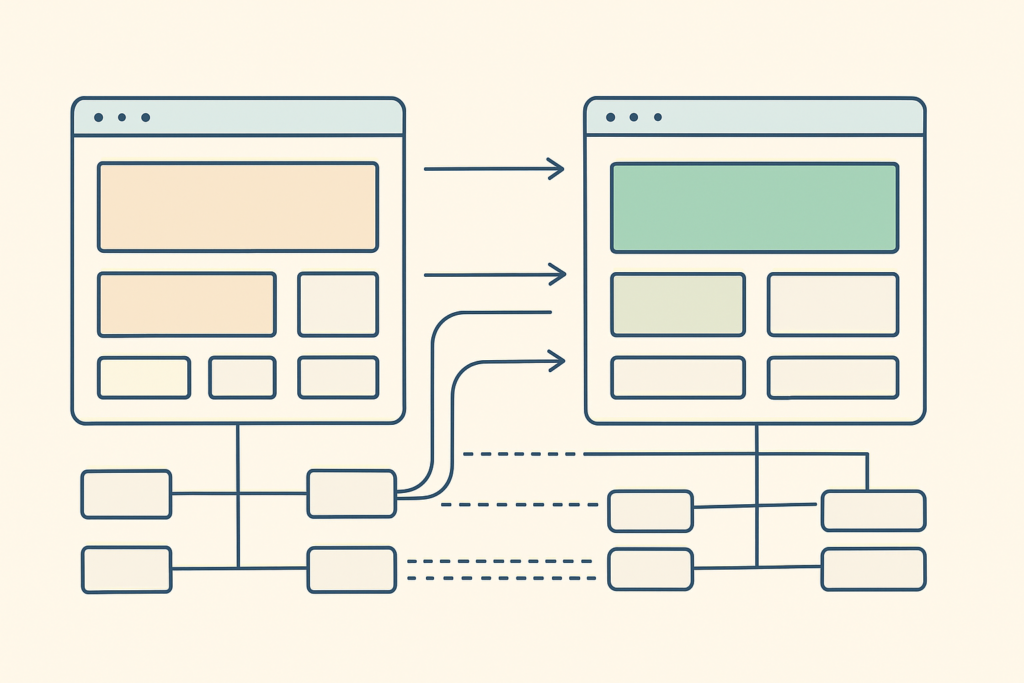

A domain move can disrupt revenue long before it shows up in a ranking report. For seo change domain projects involving changing a domain name for SEO, every old URL becomes a new technical, commercial, and customer-experience decision.
The traditional view is that a new logo, a new domain, and a batch of 301 redirects complete the job. High-performing Shopify and WooCommerce brands treat it as a controlled site move: protect profitable landing pages, prove every redirect works, preserve measurement, and watch organic revenue as closely as clicks.
Google must crawl old URLs, follow redirects, process new URLs, and reassess the replacement pages. A short-term fluctuation is normal. A prolonged loss of visibility usually points to a weak URL map, broken technical signals, lost relevance, or a launch team that measured traffic but not the pages that pay the bills.
SEO Change Domain: What Happens to Rankings, Traffic, and Revenue?
A domain change affects SEO rankings because search engines are not simply moving a label from one site to another. They are evaluating whether the new URLs are accessible, relevant replacements for the old URLs and whether the move is consistently signaled across redirects, canonicals, internal links, and sitemaps.
For an eCommerce store, the exposure is uneven. Losing visibility on an old blog post may hurt top-of-funnel traffic; losing a category page, a high-margin product page, or a seasonal collection can cut organic revenue immediately.
The objective is not an instant transfer of rankings. It is to preserve the conditions that earned search traffic in the first place:
- Relevant destinations: Each valuable old page reaches its closest new equivalent.
- Stable access: Crawlers and customers can reach the new site without blocks, loops, or server failures.
- Matching intent: Key product, collection, category, and editorial pages retain the topic and commercial purpose that ranked.
- Reliable measurement: Analytics, conversion events, feeds, and paid landing pages keep reporting correctly.
Google notes that medium-sized sites can take a few weeks or more before new URLs begin replacing old URLs in results. Larger sites can take longer. That is why a clean migration minimizes avoidable disruption rather than promising zero impact.
Reality check: A domain migration is an asymmetric bet. The upside may be stronger branding or a necessary legal change. The downside can be lasting loss of organic traffic and revenue if the implementation is careless.
Should You Change Your Domain Name?
Changing a domain name should solve a business problem substantial enough to justify operational risk. A legal requirement, merger, rebrand, international expansion, confusing legacy name, or newly available brand-defining domain can justify the move.
Changing because a new name feels marginally cleaner usually does not. If the commercial upside is vague, preserve the SEO value already attached to the old domain and direct effort toward content, technical improvements, and authority building instead.
A domain name does not replace technical SEO, useful content, or trusted links. But it can affect customer recall, brand consistency, and the chance of confusing shoppers at checkout, in email, or in branded search. Review factors to consider when choosing and evaluating a domain name before treating the new address as an SEO shortcut.
Audit the New Domain Before You Commit
Do the due diligence before design, development, or redirect rules consume the project budget. Verify the prospective new domain in Google Search Console, check whether it has a problematic history, and review inherited backlinks for spam or irrelevant topics.
Test the name with actual customers and internal teams. Hyphens, numbers, awkward spelling, and easily confused variations can create support tickets and lost direct traffic. Treat the top-level domain as a brand and market decision, not an automatic rankings lever.
Use a backlink tool to review the new domain’s backlink profile before migration. Also confirm ownership, trademark clearance, HTTPS readiness, and whether the domain has been used for a prior site that could complicate brand association.
The broader decision around domain name keywords deserves separate attention too. Keywords in a domain may clarify relevance for people, but they do not compensate for a weak migration, thin content, or poor commercial positioning.
Build the Pre-Launch SEO Migration Plan
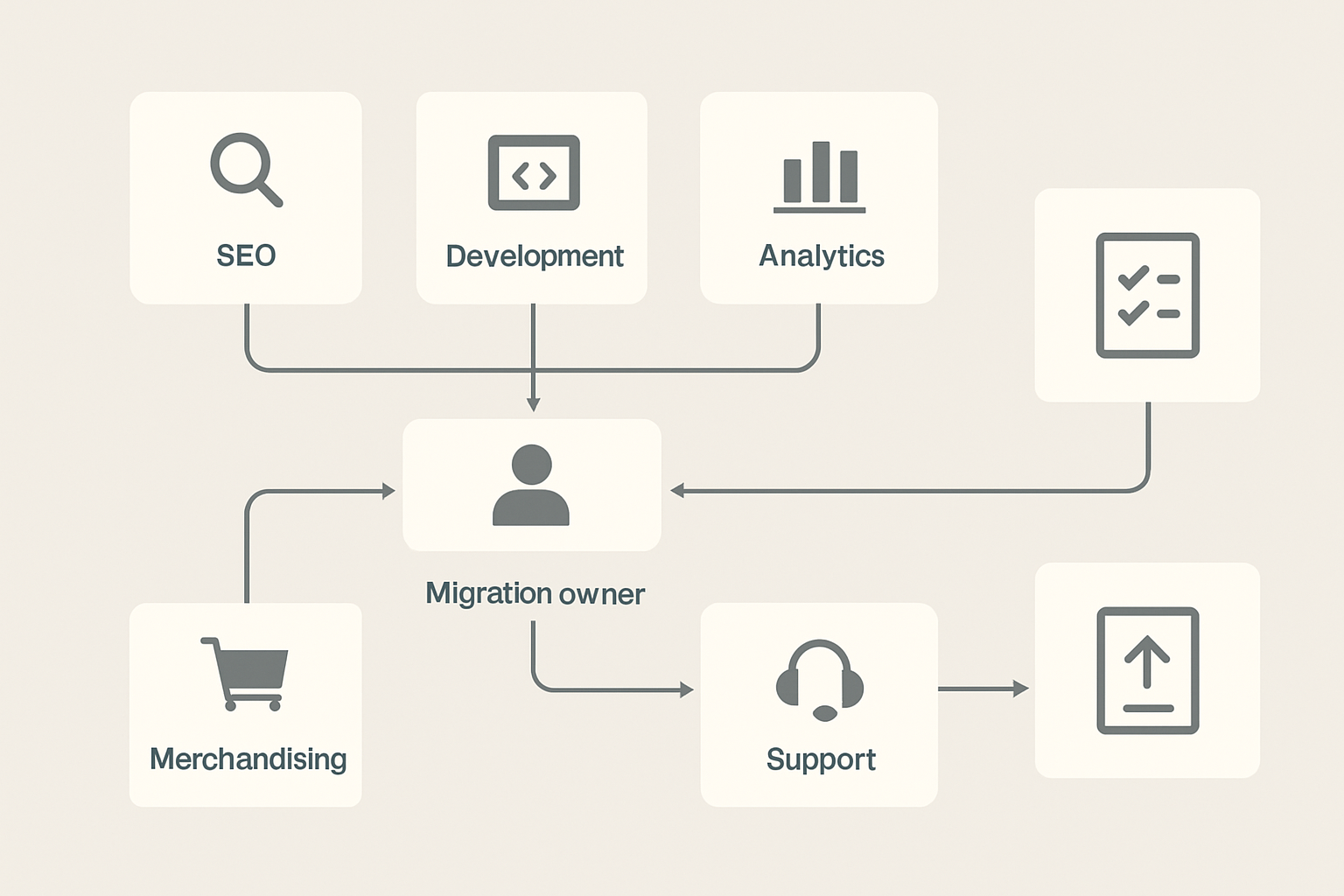
The work that protects a migration happens before launch day. Assign one migration owner with authority to coordinate development, SEO, merchandising, analytics, paid media, CRM, customer support, and executive decisions.
That owner needs a source of truth, a launch checklist, named QA owners, and an escalation path. “The developer is handling redirects” is not a migration plan when no one has confirmed which product pages drive organic revenue or which tags record completed purchases.
Set a baseline before any change. Export and save:
- Organic performance: Sessions, conversions, revenue, top queries, rankings, and landing pages.
- Indexation health: Indexed URLs, exclusions, crawl issues, existing redirects, 404s, and server errors in Google Search Console.
- Commercial URLs: Products, collections, categories, high-margin pages, seasonal pages, and paid campaign destinations.
- Authority signals: Backlinks, referring domains, referral traffic, and pages with high-quality links.
- Technical dependencies: Subdomains, images, PDFs, feeds, apps, webhooks, email settings, and tracking scripts.
Avoid piling multiple uncontrolled changes into one release. A redesign, platform migration, brand rewrite, and domain change can be done together, but only if the team has time to isolate and test each failure point. Otherwise, you will not know whether traffic loss came from redirect logic, changed page content, poor performance, or a new CMS configuration.
Start by using a crawler to crawl the current site to create a complete URL inventory. XML sitemaps alone are not enough. They often omit legacy pages, PDFs, orphan pages, old campaign URLs, and URLs that still attract links.
Create a Revenue-Weighted URL Inventory
A complete inventory is not a flat list. It is a prioritization system that tells the team what must work first.
Combine URLs from crawls, XML sitemaps, Google Search Console, analytics, CMS exports, server logs where available, and backlink reports. Then label every URL by type, traffic, conversions, revenue, backlink value, migration action, and accountable owner.
Prioritize these pages aggressively:
- Revenue-driving products with organic sales, strong conversion rates, or high margins.
- Collections and categories that capture non-branded commercial search demand.
- Seasonal landing pages that must be ready before a promotional cycle begins.
- Editorial pages that bring in substantial non-branded organic traffic.
- Linked legacy URLs that still earn valuable referral traffic or authority.
A discontinued product is not automatically a homepage redirect. If a direct replacement exists, redirect to it. If a closely related category genuinely satisfies the shopper’s intent, use that category. If nothing is relevant, allow an appropriate 404 or 410 response and offer useful on-page navigation where possible.
For Shopify and WooCommerce stores with meaningful revenue tied to organic landing pages, an independent technical SEO review before redirect rules are finalized can uncover risks that are expensive to find after launch.
Create a Redirect Strategy That Preserves Relevance
Redirect mapping is the technical center of a safe domain move. A 301 redirect is a permanent server-side instruction that sends visitors and search engines from an old URL to its replacement URL.
Map each important old URL directly to its closest relevant new URL. Google recognizes permanent redirects including 301 and 308, but implementation quality matters more than chasing a theoretical link equity percentage. Do not rely on unsupported claims about a fixed amount of authority retained. Build direct, relevant destinations and validate them.
Your redirect spreadsheet should include old URL, final new URL, URL type, action, organic traffic, revenue value, backlink value, QA status, and owner. That sheet is the contract between SEO, development, merchandising, and QA.
Keep the old domain live with redirects for at least one year, and longer where commercially sensible. Old links, printed collateral, browser bookmarks, and references on third-party sites can persist for years.
Avoid Homepage Redirects and Redirect Chains
A blanket homepage redirect creates a bad outcome for shoppers and crawlers. Someone seeking a discontinued blue running shoe should not land on a generic homepage and be expected to search again.
Redirect chains create a different problem. They force a visitor or crawler through an intermediate URL before reaching the final URL, adding latency and increasing the chance that a later rule breaks.
Use this decision standard when reviewing mappings:
| Redirect situation | Recommended action | Why it works or fails |
|---|---|---|
| Old product URL to matching new product URL | Direct 301 redirect | Preserves shopper intent and gives search engines a clear replacement. |
| Retired product to genuinely relevant category or replacement | Direct 301 redirect | Appropriate only when the destination answers the same likely need. |
| Old URL to new homepage | Avoid | Often irrelevant and can resemble a soft 404 outcome. |
| Old URL to interim URL to final URL | Avoid | Creates redirect chains, latency, and crawl complexity. |
| Permanently removed page with no relevant replacement | Return 404 or 410 | Gives an accurate response instead of forcing an irrelevant destination. |
Google can follow several redirect hops, but that does not make chains acceptable architecture. Make old URLs point straight to their final new URLs, and remove legacy rules that create unnecessary detours.
Update the New Site’s SEO Signals Before Launch
Perfect 301 redirects cannot rescue a new site that tells search engines to ignore it. Crawlability, indexability, canonicals, and internal links must all point to the new domain before the migration goes live.
Check these production signals before cutover:
- Crawl access: Remove staging restrictions and confirm robots.txt is not blocking important paths.
- Indexability: Remove accidental noindex directives from pages intended to rank.
- Canonical accuracy: Set self-referencing canonicals to the new URLs, not the old domain.
- Discovery signals: Generate a new XML sitemap containing only canonical new URLs.
- Platform health: Confirm HTTPS, certificate coverage, server capacity, Core Web Vitals risks, and key integrations.
Review HTTPS implementation considerations for the new domain early enough to fix certificate and mixed-content issues before customers encounter them. A secure site that fails intermittently during launch is both a revenue and crawlability problem.
For eCommerce, QA has to go beyond page templates. Test primary navigation, breadcrumbs, collection filters, onsite search, product recommendations, related-product modules, account links, cart paths, checkout-adjacent analytics, merchant feeds, and product-schema references.
Update Organization and WebSite structured data so the new brand-domain relationship is clear. If you operate international stores, update hreflang annotations. Also review SPF, DKIM, DMARC, MX records, OAuth settings, CORS policies, webhooks, and domain-based app settings where relevant.
Plan Internal-Link Updates and Related-Content References
Internal links should point directly to final new URLs. Navigation, footers, breadcrumbs, editorial links, product modules, collection modules, help-center links, account pages, and campaign pages should not repeatedly send users through redirects.
This is separate from backlink reclamation. You control internal links, so there is no reason to retain old-domain references once the new site is live. Teams planning a broader platform refresh should also review how ai overview will change seo, because brand consistency and authoritative destination pages matter wherever customers encounter your business.
Run a crawl of the staging environment and then the live site. Check that commercial pages are not orphaned, breadcrumb paths resolve correctly, filters do not expose broken canonicals, and editorial content links to current product or collection URLs.
A structured internal-link audit can also expose orphaned commercial pages before they become invisible after launch. The same discipline applies when deciding how to change keywords for a website: preserve the search intent of pages that already earn qualified demand before rewriting them for a rebrand.
Launch Day: Redirects, Change of Address, and Validation
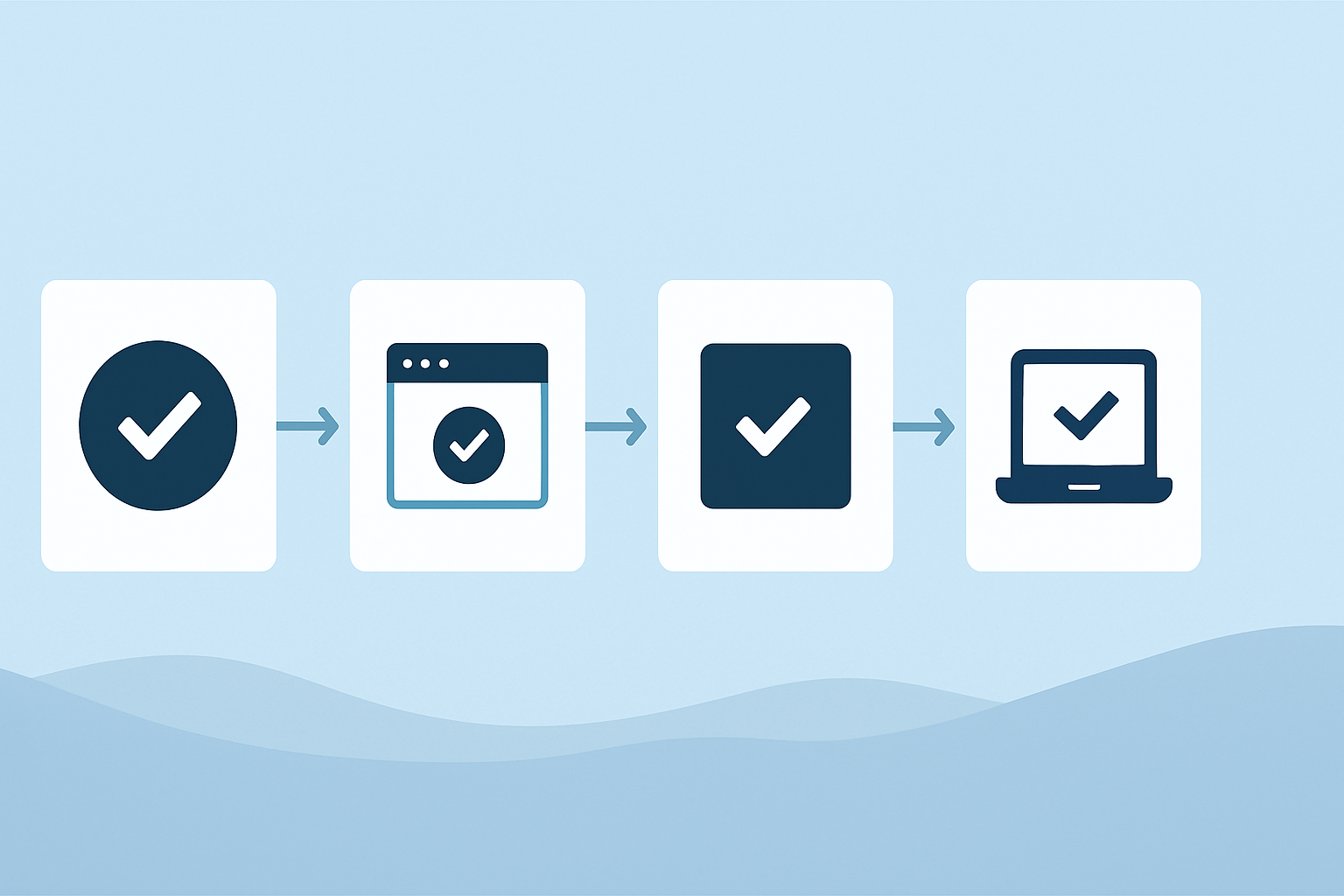
Launch day should be a sequence of verified actions, not a rush to announce the new brand. Do not submit a Change of Address request until permanent redirects are active and both old and new domain properties are verified.
Follow this order:
- Confirm the new site is live, secure, crawlable, and free of production noindex rules.
- Activate server-side 301 redirects from the old domain to the mapped final destinations.
- Test representative product, collection, category, editorial, image, PDF, campaign, and high-backlink URLs.
- Confirm new pages return 200 status codes and use self-referencing canonicals.
- Submit the new XML sitemap in Google Search Console.
- File Change of Address in Google Search Console for the verified domain move.
- Test internal links, GA4 events, Google Tag Manager rules, paid landing pages, email links, checkout paths, and integrations.
- Confirm the old domain’s robots.txt does not block crawlers from reaching redirected URLs.
The Change of Address tool supports Google’s understanding of the site move. It does not replace correct 301 redirects, relevant content, or crawlable destination pages.
Use a crawler to test old-to-new response paths at scale. Review status codes, final destinations, canonical tags, redirect hops, and broken internal links rather than sampling only a few easy URLs.
Migration-readiness audit: Before your team launches, SEO.DIGITAL can conduct an eCommerce migration-readiness audit covering redirect mappings, indexation signals, internal links, analytics, and revenue-critical Shopify or WooCommerce URLs.
Protect Backlinks, Brand Recognition, and Customer Journeys
Redirects preserve access, but direct links to the new domain create a cleaner customer and crawler journey. Start outreach with referring domains that send qualified traffic, link to revenue-critical pages, or carry strong editorial relevance.
Prioritize publishers, partners, suppliers, affiliates, industry resources, and press mentions. Ask for the specific old link to be updated to its direct new equivalent. Do not waste the team’s first week chasing every low-value directory listing.
Update the customer-facing places where the old domain persists:
- Owned profiles: Social accounts, Google Business Profile where applicable, marketplace pages, and directories.
- Paid destinations: Search ads, retargeting ads, affiliate links, feeds, and campaign landing pages.
- Customer communications: Email footers, lifecycle sequences, help documentation, and transactional messages.
- Brand explanation: A rebrand page explaining the old-to-new relationship for customers searching the legacy name.
This work also helps reduce confusion across emerging answer surfaces and trusted third-party references. Keep messaging consistent: the old brand became the new brand, the new domain is official, and customers can still safely reach the business through old bookmarked URLs.
Monitor SEO Recovery After the Domain Change
The right recovery pattern is not “old rankings disappear and new rankings appear overnight.” You want to see old-domain clicks decline while new-domain clicks, indexed pages, organic sessions, conversions, and revenue build toward the baseline.
Monitor daily for the first 14 days. Check index coverage, crawl errors, 404s, redirect failures, critical-page indexation, organic sessions, conversion rate, and organic revenue. A revenue drop isolated to collection pages requires a different response than a broad crawl failure.
From day 15 through day 90, move to weekly analysis. Compare rankings, search queries, indexed pages, new-domain clicks, redirected old URLs, conversion trends, and product-level organic revenue against the saved baseline.
From month three through month 12, compare pre-migration and year-over-year performance while continuing backlink updates and technical QA. Seasonal stores should compare equivalent commercial periods, not only the previous month.
Troubleshoot the Most Common Migration Failures
Most migration failures are diagnosable if you look at the URL-level evidence. Start with the exact affected page type, then identify whether the failure is redirect, indexation, relevance, tracking, or platform-related.
- Important pages return 404s: Compare the missing URL against the redirect map, add the correct direct redirect, and retest the final response.
- URLs redirect to the homepage: Replace blanket rules with a relevant product, collection, category, or content destination. Use 404 or 410 where no useful replacement exists.
- Redirect chains appear: Identify every hop in the crawl report, then update the old URL rule to reach the final new URL directly.
- New pages canonicalize to old URLs: Correct canonical templates and recrawl. Old-domain canonicals conflict with the migration signal.
- Pages are blocked or unmeasured: Remove improper robots.txt or noindex restrictions, then test analytics events, purchase tracking, email settings, and domain-based app configurations.
Also check XML sitemaps. If the sitemap still lists old URLs, regenerate it with canonical new URLs and submit it again. If the site becomes slow or returns 5xx errors under increased crawler demand, involve hosting or infrastructure teams immediately.
Frequently Asked Questions About Changing a Domain for SEO
Does changing your domain name affect SEO?
Yes. Search engines need time to crawl, process, and reassess the new URLs, so rankings and organic traffic can fluctuate. A complete one-to-one redirect map, preserved page relevance, correct canonicals, and active monitoring reduce the risk of lasting loss.
Can I switch my domain?
Yes, provided you treat it as a full site move rather than a simple setting change. Verify the new domain, map valuable old URLs to relevant new URLs, implement permanent redirects, update technical signals, and monitor results after launch.
Does domain name matter for SEO?
A domain name does not automatically improve rankings. It matters practically through brand clarity, user trust, memorability, domain history, and the consistency of signals around your business, while content quality and technical execution remain more important.
What is a 301 redirect and why does it matter during a domain change?
A 301 redirect is a permanent server-side instruction that sends users and search engines from an old URL to its replacement. During a migration, use direct 301 redirects from each important old URL to the closest relevant new URL, not generically to the homepage.
How long does SEO recovery take after a domain change?
Recovery timing depends on site size, crawlability, redirect quality, server performance, and how closely new pages preserve the old pages’ intent. Google indicates that medium-sized sites may take a few weeks or more to show new URLs, while larger or more complex stores can take longer.
Do I need to keep my old domain active?
Yes. Keep the old domain active with permanent redirects for at least one year and longer when practical. Old backlinks, bookmarks, printed materials, and unupdated third-party references can continue sending visitors for years.
Should I use Google Search Console Change of Address?
Yes, for an eligible domain or subdomain move after redirects are live and both properties are verified. Change of Address is a supporting signal, not a substitute for redirects, crawlable pages, and an updated XML sitemap.
What is a redirect chain?
A redirect chain occurs when an old URL redirects to an intermediate URL before reaching the final destination. Remove chains where possible so each old URL reaches its final relevant new URL in one hop.
What is the 80/20 rule in SEO?
The 80/20 rule is a prioritization idea: a relatively small set of pages, queries, or fixes may drive a large share of SEO outcomes. During a domain migration, apply it by giving exceptional QA attention to URLs responsible for the most organic revenue, conversions, and valuable backlinks.
Is domain flipping still profitable in 2026?
Domain flipping can be profitable when a buyer has a legitimate need for a memorable, brandable, or strategically relevant domain. It is separate from migrating an established business site, where the central concern is preserving existing traffic, rankings, and revenue rather than reselling a domain.
SEO Change Domain Checklist for Shopify and WooCommerce Stores
Use this checklist as the final go/no-go review. A successful seo change domain project protects profitable demand, not merely a count of live URLs.
Decision and ownership
- [ ] Confirm the business case outweighs migration risk.
- [ ] Vet the new domain for ownership, history, brand clarity, and customer confusion.
- [ ] Assign one migration owner, named technical owners, and an escalation process.
- [ ] Save baseline organic traffic, rankings, conversions, and revenue by landing page.
URL inventory and redirect strategy
- [ ] Crawl the old site and combine sitemap, analytics, Search Console, CMS, backlink, and log data.
- [ ] Label products, collections, categories, editorial pages, seasonal URLs, files, images, subdomains, and legacy URLs by business value.
- [ ] Map each valuable old URL to one relevant final new URL.
- [ ] Use 301 redirects for permanent moves and eliminate redirect chains and homepage redirects.
- [ ] Decide deliberately which retired pages warrant a relevant replacement and which should return 404 or 410.
New-site SEO and eCommerce QA
- [ ] Remove staging blocks and noindex directives from production pages.
- [ ] Update canonicals, hreflang, structured data, robots.txt, XML sitemap, and all internal links.
- [ ] Test Shopify or WooCommerce navigation, filters, breadcrumbs, search, product modules, cart paths, feeds, and conversion tracking.
- [ ] Update paid campaigns, email links, app settings, authentication records, and customer communication assets.
Launch and monitoring
- [ ] Verify both domains in Google Search Console, activate redirects, submit the new sitemap, and file Change of Address.
- [ ] Validate high-value URLs manually and through a full crawl.
- [ ] Monitor daily for 14 days, weekly through day 90, then against pre-migration and year-over-year performance through month 12.
- [ ] Keep the old domain active with redirects for at least one year.
If your Shopify or WooCommerce store generates $50k+ MRR and a domain change could put meaningful organic revenue at risk, book a call with SEO.DIGITAL for a no-obligation deep-dive consultation. We’ll assess your technical exposure, revenue-critical URLs, and the migration roadmap needed to protect long-term growth.