


A polished storefront can still be invisible to search. The seo requirements for new website launches determine whether high-value collection and product pages can be crawled, indexed, understood, and eventually found by shoppers.
The traditional approach treats SEO as a final QA task after design and development are approved. High-performing eCommerce teams make it a build requirement: marketing maps demand, developers implement controls, and SEO validates the store before organic revenue is put at risk.
For Shopify and WooCommerce brands, this matters more than usual. Filters, variants, app scripts, collection templates, and tracking tags can create search problems that are cheap to prevent before launch and expensive to unwind once URLs, links, and paid-acquisition dependence are already in place.
SEO Requirements for a New Website: What Must Be in Place Before Launch
SEO requirements for a new website are the technical, structural, content, and measurement controls that help search engines crawl, index, understand, and rank important pages. They are not a cosmetic checklist for the final afternoon before launch.
Use a three-phase sequence. First, make the store technically accessible and commercially coherent. Next, verify the live site during launch week. Then use the first 90 days to build authority, learn from real search data, and improve the pages that can produce revenue.
| Phase | Primary objective | Non-negotiable output |
|---|---|---|
| Before launch | Remove blockers and set the commercial structure | Crawlable templates, stable URLs, mapped priority pages, tracking plan |
| Launch week | Confirm live discovery and measurement | Valid redirects, submitted sitemap, verified Search Console, tested events |
| First 90 days | Turn a sound foundation into compounding growth | Content expansion, authority work, technical iteration, revenue reporting |
Why a New eCommerce Site Needs SEO Involved From Day One
A visually finished store is not necessarily a search-ready store. A search-ready store has an intentional website architecture, indexable templates, clear search intent by page, and measurement that can connect organic sessions to orders.
Changing a hero image after launch is simple. Changing a collection hierarchy, canonical rules, URL format, or product-template content after search engines have indexed hundreds of pages can trigger redirect work, duplicate-content cleanup, internal-link repair, and lost momentum.
Assign ownership before the build begins:
- Marketing lead defines revenue priorities, customer language, and target markets.
- SEO lead maps search intent, validates technical SEO requirements, and prioritizes risk.
- Developer implements templates, redirects, rendering, structured data, and tracking controls.
- Content team creates collection copy, product support content, guides, and proof assets.
The goal is not to make every page compete for every query. The goal is to give each important page a clear job in search results and a logical place in the site structure.
Pre-Launch Technical SEO Requirements
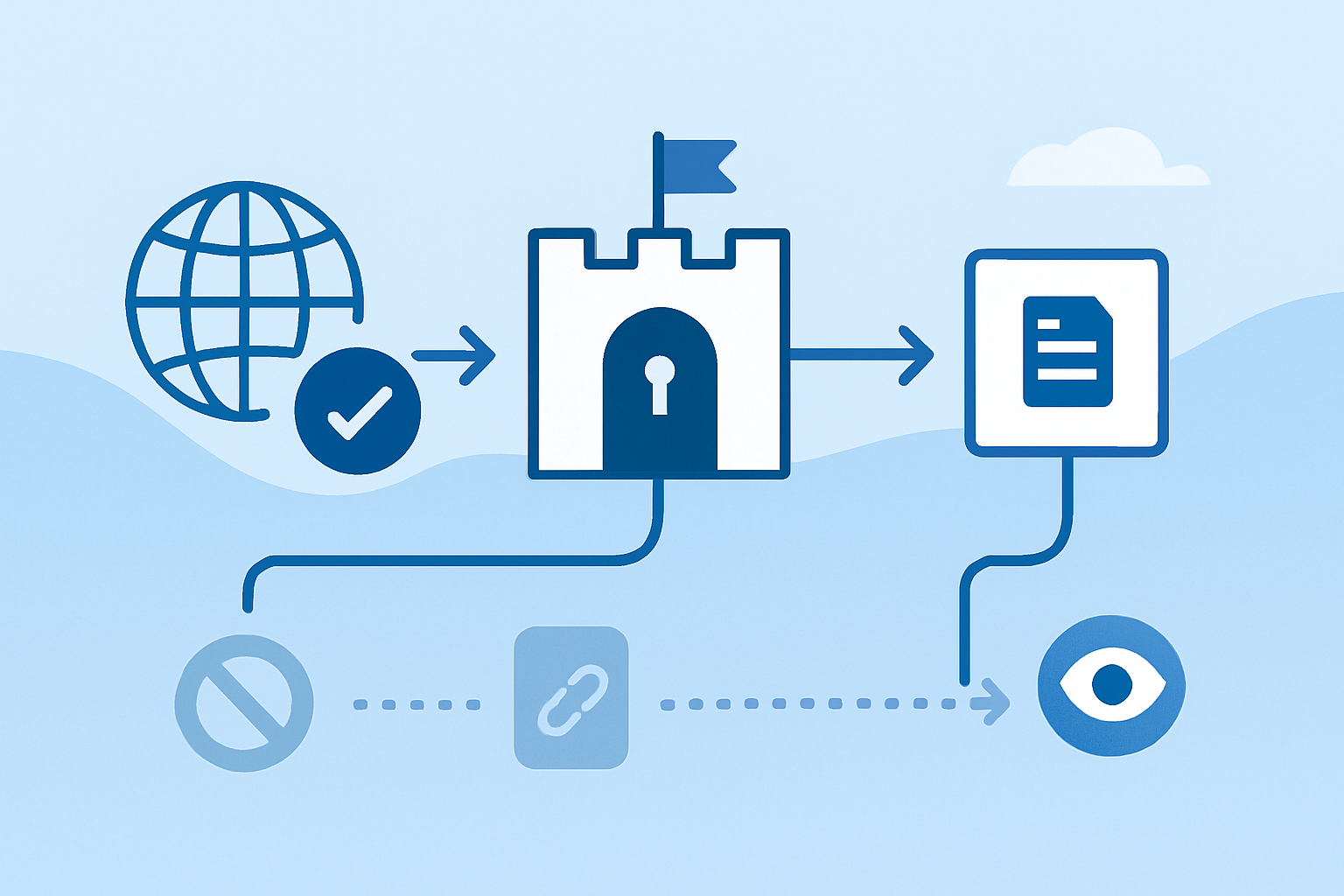
Technical blockers outrank cosmetic optimization. A perfect title tag cannot help a collection page that is blocked, noindexed, redirected incorrectly, or too dependent on rendering that search engines cannot reliably process.
Treat this as the technical SEO gate before launch. Every priority page must be accessible to users and search engines, return the right status, render useful content, and point to the correct preferred URL.
Make the Store Crawlable, Indexable, Secure, and Accessible
Start with one secure, preferred version of the domain. Force HTTP to HTTPS, choose either the www or non-www host as the canonical host, and ensure all internal links use that version consistently.
Mixed content undermines both security and quality control. Review MDN’s explanation of mixed-content security issues when an HTTPS page loads images, scripts, stylesheets, or other resources through HTTP.
Check these launch controls before the store goes live:
- HTTPS and redirects: Every preferred URL should resolve with HTTPS and return a 200 status code. Redirect obsolete URLs with a single 301 hop where a permanent replacement exists.
- Staging protection: Keep staging and preview environments out of search with access controls and
noindex. Remove launch-sitenoindexdirectives only after the production store is ready. - Robots rules: Use
robots.txtto guide crawl access, not as a substitute fornoindex. A blocked URL can still appear in search results without a useful snippet if other sites link to it. - Status-code hygiene: Use 404 for pages that do not exist, 410 for content permanently removed with no replacement, and avoid sending users or crawlers through long redirect chains.
- Rendered content: Ensure product names, prices, availability, category copy, and internal links are available in the rendered page experience. JavaScript-heavy builds need deliberate rendering QA.
Mobile-friendly is a baseline, not an enhancement. Google primarily uses the mobile version of pages for indexing, so hidden mobile copy, broken accordions, unusable filters, or missing internal links can weaken the information search engines evaluate.
Configure XML Sitemaps, Canonicals, and Search Console Before Launch
An XML sitemap is a discovery aid, not a ranking switch. It should list the clean, indexable URLs you want search engines to consider, not every parameter, internal-search result, filtered view, tag archive, or duplicate product path your platform can generate.
Keep each sitemap under 50,000 URLs and 50MB uncompressed. Large catalogs should use a sitemap index that separates products, collections, pages, and editorial content so errors are easier to isolate.
Canonical tags tell search engines which version of substantially similar URLs is preferred. For core indexable pages, use self-referencing canonicals with absolute URLs, then spot-check that filters, pagination, variants, and alternate collection paths do not contradict the intended canonical route.
This is where eCommerce stores often leak equity. A shopper may reach the same product from multiple collections, while a faceted navigation system may create hundreds of URLs for color, size, sort order, and availability combinations. Letting all of those versions index can dilute signals, consume crawl resources, and create thin pages with no standalone search value.
Stores with complex Shopify or WooCommerce templates, faceted navigation, or legacy URL patterns may benefit from an eCommerce-specific technical SEO review before launch, especially when planning SEO for large ecommerce sites.
Set up Google Search Console before launch where possible, then verify the production property immediately after release. Submit the XML sitemap, inspect representative URLs, and watch for excluded pages, server errors, blocked resources, or unexpected canonical selections.
Protect Mobile Experience, Page Speed, and Core Web Vitals
Slow collection pages lose twice: shoppers abandon them and search performance becomes harder to sustain. Product imagery, review widgets, subscription tools, personalization scripts, chat, pixels, and app code are common sources of unnecessary weight.
Core Web Vitals measure three parts of the page experience:
- LCP: How quickly the largest visible element loads. A target under 2.5 seconds is a useful benchmark.
- INP: How quickly the page responds after a shopper clicks, taps, or types.
- CLS: How much content shifts unexpectedly while the page loads.
Start with the templates that matter most: homepage, primary collection, product page, cart, and editorial guide. Compress oversized images, use modern formats such as WebP or AVIF where supported, reserve image dimensions to prevent layout shifts, defer nonessential scripts, and audit each third-party app for commercial value.
A practical performance target is server response under 500ms. Also review the largest product and collection images. Image-compression guidance commonly targets files around 300 to 500kB or less where visual quality permits, but the right size depends on dimensions, device, and the role the asset plays on the page.
Plan Website Architecture, URLs, and Internal Links Around How Shoppers Search
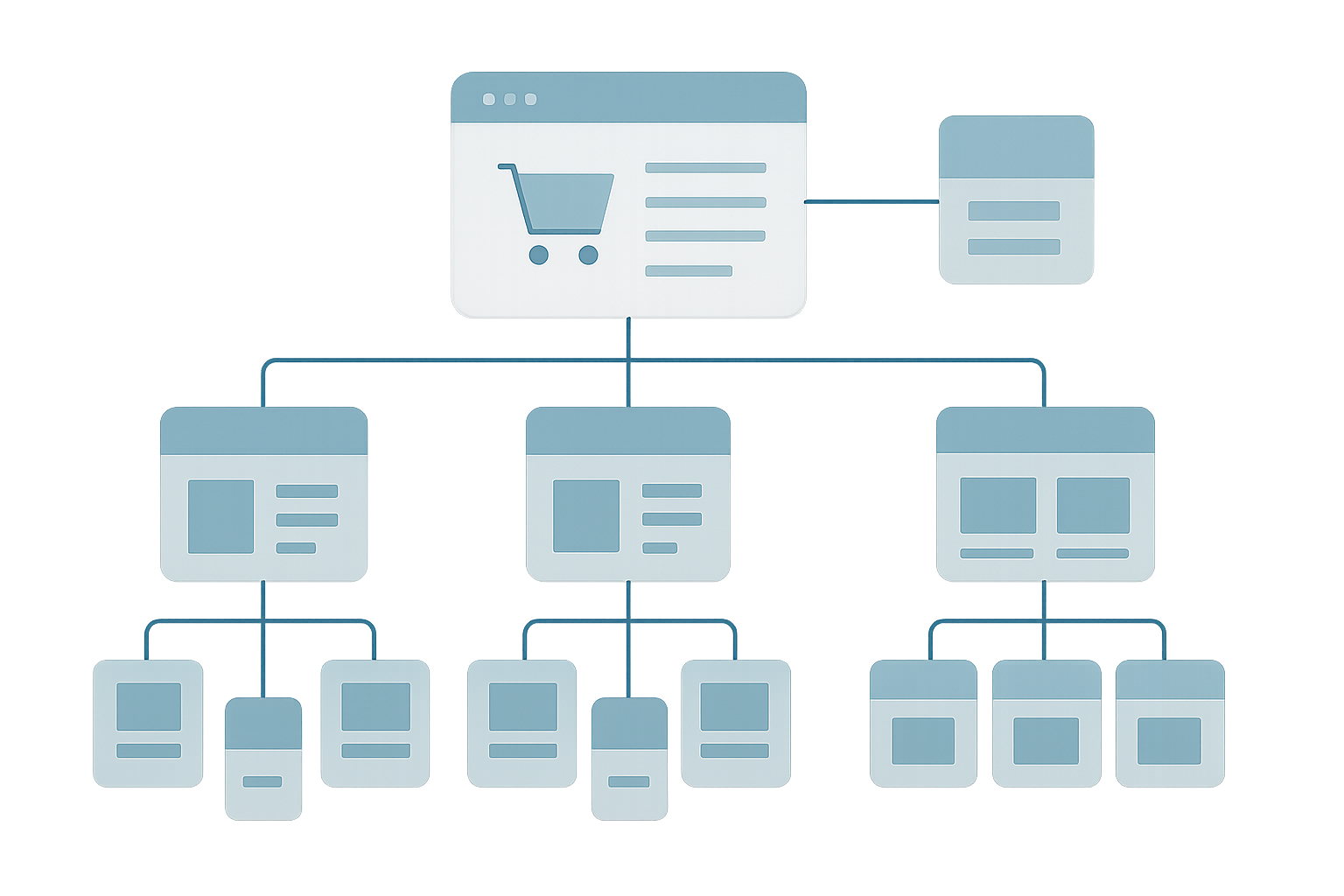
Navigation labels are not just UX decisions. They define how shoppers and search engines reach the pages that represent your commercial inventory.
A strong website architecture gives every important collection, subcollection, product, and guide a clear relationship to the rest of the store. That makes expansion easier without forcing customers through vague menus or forcing crawlers to hunt for revenue pages.
Build a Scalable Collection and Product Hierarchy
Start from how customers group products, not from how the warehouse stores SKUs. A typical structure might look like this:
- Homepage links to primary commercial collections.
- Primary collections lead to meaningful subcollections where demand and inventory justify them.
- Subcollections link to relevant product pages and related category paths.
- Buying guides explain selection criteria and link back to the appropriate collection or product category.
Keep valuable pages within a few logical clicks of the homepage. Use descriptive navigation labels, breadcrumbs, and crawlable HTML links so both users and search engines can understand the hierarchy.
Do not create indexable collection pages simply because a filter exists. A filtered URL deserves its own indexable landing page only when it has stable demand, useful unique content, sufficient product availability, and a clear commercial purpose.
Launch-readiness audit
Before launch, validate whether your Shopify or WooCommerce architecture can scale without creating duplicate, thin, or orphaned pages. SEO.DIGITAL’s launch-readiness audit identifies the technical and commercial fixes that protect organic growth.
The best CMS for SEO is the one that gives the team practical control over redirects, metadata, canonicals, templates, internal links, performance, and structured data without creating a maintenance burden that outgrows the business.
Set Stable, Descriptive URL Rules Before Publishing
URLs become operational infrastructure once they are indexed, shared, linked, printed, or included in campaigns. Set the rules once, document them, and resist unnecessary changes.
Use lowercase, readable words, hyphens between terms, and a consistent folder structure. A collection URL such as /collections/trail-running-shoes/ tells shoppers what to expect. A string of IDs, dates, tracking parameters, and repetitive keywords does not.
Avoid dates, file extensions, and disposable campaign language in permanent commercial URLs. Do not stuff keywords into slugs. The purpose is clarity and stability, not an attempt to force relevance.
When a URL must change, create a 301 redirect from the old address to the closest valid replacement. Update internal links, canonical tags, XML sitemaps, paid campaigns, and high-value external profiles rather than relying on redirects indefinitely.
Use Internal Links to Connect Buying Pages and Content Clusters
Internal links are controlled distribution. They help shoppers move from research to purchase and help search engines discover important pages, understand topical relationships, and identify which routes matter most.
A buying guide about choosing waterproof hiking boots should link to the relevant waterproof-boots collection. That collection can link back to the guide for shoppers who need help comparing insulation, tread, fit, or terrain suitability.
For a deeper framework on choosing contextual anchors and avoiding orphaned pages, see how to change keywords for a website.
Use descriptive anchor text that signals the destination. “View waterproof hiking boots” is useful. “Click here” provides almost no context. Audit internal links after launch to catch orphaned collection pages, discontinued products, and guides that no longer point to live inventory.
Map Keywords, Search Intent, and On-Page Templates Before Launch
A new store should not launch with copied manufacturer descriptions, duplicate titles, or generic collection pages titled “Products.” Each indexable priority page needs a defined search role, a primary topic, and content built for the intent behind the query.
Start with commercial pages. A collection page that matches buyer intent can contribute to revenue sooner than a broad blog article that attracts readers with no path to a product.
Match Each Core Page to One Search Intent
Search intent is the job a user wants the result to do. Match page type to that job instead of forcing a product page to rank for an early-stage research query or a blog post to rank for a category purchase query.
- Transactional intent: Use product pages for highly specific searches where the shopper is ready to buy.
- Commercial intent: Use collection, category, comparison, and “best for” pages for shoppers evaluating options.
- Informational intent: Use guides, care instructions, sizing resources, and educational content to answer questions before purchase.
- Navigational intent: Use clear brand, policy, store-locator, or account pages when users seek a known destination.
New domains should not chase only the largest keyword volumes. Choose terms with real commercial relevance and a realistic chance to earn visibility. Semrush suggests one possible starting heuristic for newer sites: consider terms with Personal Keyword Difficulty below 20% and at least 100 monthly searches, then validate whether the actual search results match your page and brand strength.
Use keyword research and keyword and competitive research tools to compare demand, ranking pages, content formats, and competitor coverage. The data informs judgment. It does not replace it.
Control Title Tags, Meta Descriptions, Headings, and Image Context
Template defaults save time but often produce duplicate metadata at scale. Ensure your Shopify or WooCommerce setup allows unique title tags, meta descriptions, H1s, copy blocks, canonicals, and image context for priority collections, products, and guides.
Give each page one descriptive H1 that reflects its purpose. Use H2 and H3 headings to organize the supporting information, not to repeat the same phrase in slightly different forms.
Title tags should accurately name the page and make the result worth clicking. A common practical guideline is to stay around 55 characters or less, while meta descriptions often work well around 150 to 160 characters. These are display guidelines, not hard limits, and search engines may rewrite either element.
Write useful alt text for images that carry meaning. “Women’s black waterproof trail shoe with lug sole” helps more than “shoe image.” Decorative assets can use empty alt attributes so assistive technology does not announce clutter.
Avoid repetitive template copy and keyword stuffing. Search engines and shoppers both respond better to clear language that explains products, selection criteria, materials, compatibility, delivery expectations, and proof.
Publish Helpful, Trust-Building Content That Supports Revenue Pages
Content earns its place when it reduces purchase friction or creates demand the store can fulfill. That means product comparisons, fit guides, care instructions, use-case pages, expert explainers, and original research can be more valuable than publishing a stream of loosely related posts.
Practical E-E-A-T means showing why your store deserves trust. Include clear company information, accurate policies, real product expertise, transparent author or editorial ownership where useful, customer reviews, original imagery, and evidence that claims reflect actual experience. Review practical ways to demonstrate first-hand experience before turning generic content into a trust asset.
Original buying guides should support a relevant collection or product category rather than sit in an isolated resource center. Teams planning a scalable editorial calendar can use seo friendly website to expand this into a topic-cluster workflow.
AI-assisted drafting can accelerate research and production, but it cannot substitute for subject-matter review. Add first-hand observations, verify specifications and claims, and make sure the finished page says something useful that competing summaries do not.
Launch Week: Verify Discovery, Indexing, Analytics, and Revenue Tracking
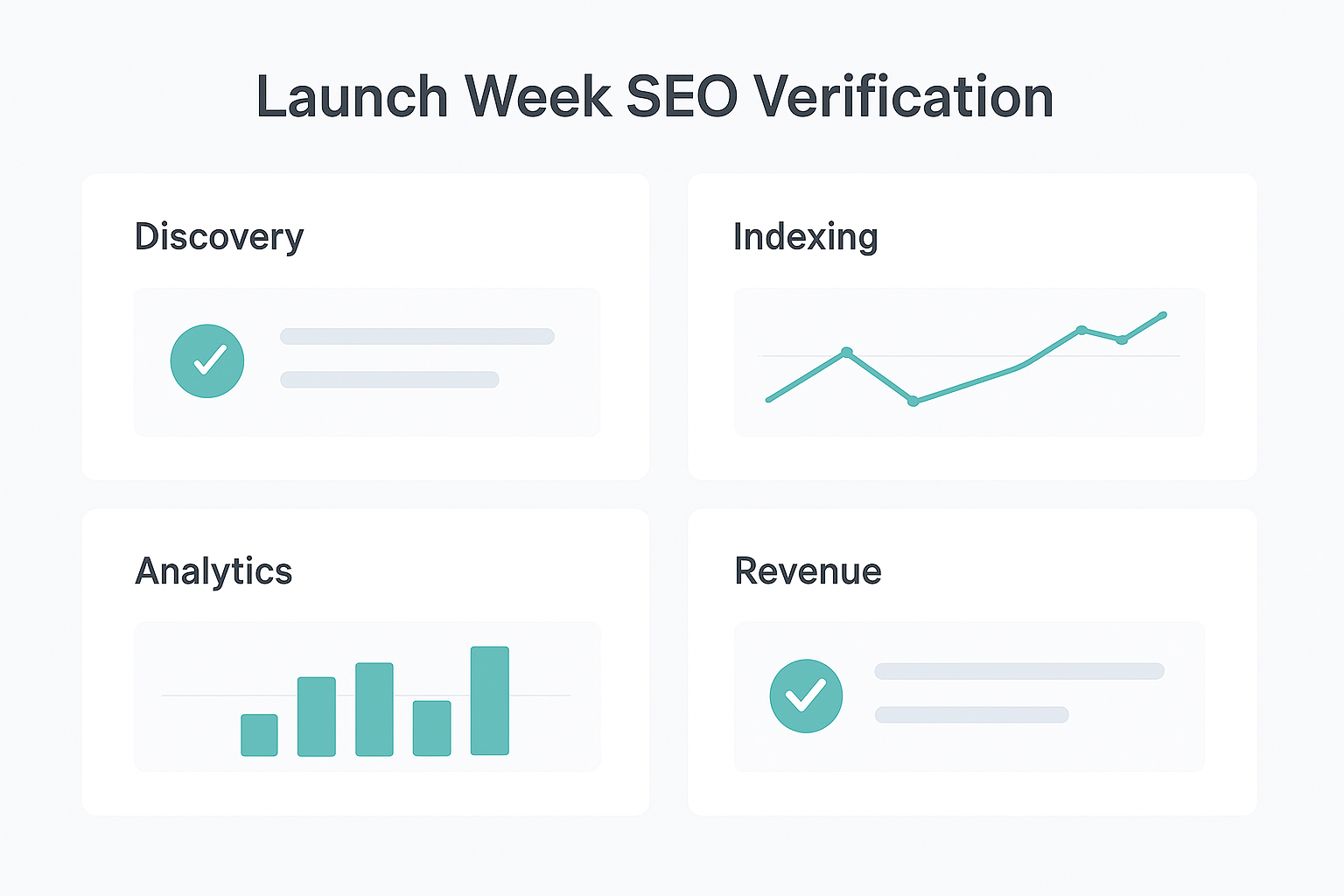
Launch day reveals whether plans survived deployment. The immediate objective is not to demand rankings. It is to confirm that priority pages are live, measurable, crawlable, and free from preventable technical blockers.
Run this QA sequence on the production domain, not only in staging:
- Confirm the preferred HTTPS domain and test key redirects.
- Check that staging
noindextags, password walls, and temporary blocks are not affecting production. - Review robots.txt, canonical tags, and representative 200-status pages.
- Validate the XML sitemap and submit it in Google Search Console.
- Inspect priority homepage, collection, product, and guide URLs.
- Test checkout, add-to-cart, purchase, lead, and email-signup events.
Verify the Live Store and Submit the Sitemap
Submit the sitemap after the production URLs are final. Then inspect high-priority URLs in Google Search Console to confirm whether Google can access them and which canonical it selects.
A submitted sitemap does not guarantee instant indexing or rankings. Indexing can take days to several weeks, early impressions may appear before meaningful positions, and competitive new sites often need months of consistent technical, content, and authority work before visibility compounds.
Use site:yourdomain.com searches only as a rough discovery check. Search Console is the better diagnostic source because it shows inspection details, crawl behavior, indexing status, and performance data.
Establish a Measurement Baseline That Connects SEO to Revenue
Organic traffic without conversion context is a vanity metric. Configure GA4 and Google Tag Manager so the team can measure the events that matter: product views, collection views, add-to-cart actions, checkout starts, purchases, subscription signups, qualified leads, and revenue.
Track the early indicators in the right order. First watch indexed URLs, crawl errors, impressions, and the search queries that trigger your pages. Then review clicks, organic sessions, conversion rate, average order value, assisted conversions, and organic revenue contribution.
Segment reporting by landing page type. A collection page generating fewer visits but more revenue may be more valuable than a broad guide generating larger traffic with little commercial movement. That is how SEO strategy ties to CAC, not just rank tracking.
The First 90 Days: Build Authority, Improve AI Visibility, and Iterate
Technical correctness gets the store into the race. It does not create a reputation, earn citations, or make a new domain the obvious choice for a competitive commercial query.
The first 90 days should turn launch data into focused action. Fix what blocks discovery, strengthen the pages already earning impressions, publish useful supporting assets, and earn third-party signals that make the brand more credible.
Build Credible Authority With High-Quality Backlinks and Brand Mentions
High-quality backlinks matter because they are signals of relevance and trust from other sites. The useful qualifier is quality: a niche-relevant mention from a respected publication, supplier, partner, retailer, association, or expert resource is worth more than a large batch of irrelevant links.
Create pages that deserve to be referenced first. Original product research, well-tested buying guides, useful tools, category expertise, distinctive data, and credible founder or expert perspectives give outreach and digital PR a reason to work.
Focus authority activity on four sources:
- Partner relationships: Suppliers, stockists, manufacturers, and collaborators with relevant audiences.
- Digital PR: Original data, expert commentary, product innovation, and newsworthy stories with real editorial value.
- Industry relevance: Trusted directories, associations, podcasts, and publications where your customers or peers actually participate.
- Authentic communities: Helpful participation in relevant discussions where the brand can contribute expertise without spamming links.
Avoid purchased low-quality links, automated link schemes, artificial reviews, and manufactured engagement. SEO.DIGITAL applies high-authority link building, digital PR, and authentic community signals to eCommerce brands because authority should improve trust with both real shoppers and search systems.
Make Content Easier for AI Answer Engines to Understand and Cite
AI-search visibility is an extension of strong SEO, not a replacement for it. If search engines cannot crawl a store, understand its products, or trust its claims, answer engines have little reliable material to surface.
Use clear entity language. Keep product names, brand names, category terminology, specifications, and policies consistent across the site and across credible third-party mentions. Write direct answers near the questions customers ask, then support those answers with detail, evidence, and useful context.
Structured data can clarify products, prices, availability, reviews, breadcrumbs, articles, and organizations when it accurately reflects visible page content. Validate the markup and treat it as machine-readable context, not a shortcut to enhanced results.
The current search-result set does not establish a guaranteed AI Overview tactic. The durable approach is simpler: publish factual, self-contained content, add original experience, maintain technical access, and earn trustworthy mentions. That foundation supports traditional search, rich-result eligibility, and emerging answer surfaces.
Use a 30-, 60-, and 90-Day Review Cadence
Set recurring reviews before performance anxiety drives random changes. The store needs a disciplined rhythm that separates early indexation signals from longer-term ranking and revenue outcomes.
- Days 1-30: Verify indexation, resolve launch blockers, confirm analytics, improve internal links, and publish the first priority support content.
- Days 31-60: Expand commercial and informational clusters, review impressions and query themes, test page-speed fixes, and begin credible authority outreach.
- Days 61-90: Crawl the site again, improve pages with impressions but weak click-through rates, strengthen links to commercial pages, and assess organic conversion performance.
Expect indexing before rankings. Meaningful visibility for a new site commonly takes several months, and competitive categories can take longer. The useful question is whether the store is becoming more discoverable, more authoritative, and more efficient at acquiring qualified buyers each month.
FAQ: SEO Requirements for a New Website
What Are the SEO Requirements for a Website?
SEO requirements for a website include crawlable HTTPS pages, mobile-friendly templates, logical architecture, stable URLs, unique titles and metadata, internal links, canonical and indexation controls, an XML sitemap, Google Search Console, analytics, page-speed management, and ongoing content and authority work. These controls help search engines discover, understand, and trust the pages that matter.
What Is the 80/20 Rule for SEO?
There is no universal, authoritative 80/20 rule for SEO. Use it as a prioritization principle: focus first on the smaller set of fixes and pages most likely to improve crawlability, commercial visibility, user experience, and revenue, rather than spreading effort evenly across low-impact tasks.
Is SEO Still Worth It in 2026?
Yes, SEO is still worth it when it supports a real product, useful customer experience, and credible brand. Traditional search and AI-driven discovery both depend on accessible, well-structured, trustworthy information, but SEO is a compounding channel rather than an instant replacement for paid media, conversion optimization, or product-market fit.
How Do You Do SEO for a New Website?
Do SEO for a new website in sequence: remove technical barriers, finalize website architecture and URLs, map keywords to core pages, publish helpful content, configure Search Console and the XML sitemap, run launch QA, verify indexation, build internal links, earn authority, and audit regularly. Prioritize indexing before rankings and revenue relevance before raw traffic volume.
Final New Website SEO Checklist for Shopify and WooCommerce Brands
The seo requirements for new website launches are not about checking every possible box at once. They are about completing the highest-impact work in the right order, then using real search and revenue data to guide the next decision.
Before launch
- Confirm HTTPS, preferred domain rules, status codes, robots directives, canonicals, and staging controls.
- Build a scalable collection, subcollection, product, and buying-guide hierarchy.
- Map priority keywords and search intent to collection, product, and editorial pages.
- Configure editable metadata, heading structures, image alt text, performance controls, and conversion tracking.
Launch week
- Validate redirects, production robots.txt, noindex removal, canonical tags, and priority templates.
- Submit a clean XML sitemap and inspect key URLs in Google Search Console.
- Test GA4 and eCommerce events from product view through purchase.
- Monitor indexing, crawl errors, mobile experience, and critical page-speed issues.
First 90 days
- Publish supporting content that links naturally to revenue pages.
- Improve pages earning impressions but underperforming on clicks or conversion.
- Earn relevant links, credible brand mentions, and genuine community recognition.
- Review technical health, Core Web Vitals, organic revenue, and CAC contribution on a fixed cadence.
Shopify and WooCommerce brands generating $50k+ MRR can book a call with SEO.DIGITAL for a no-obligation deep-dive consultation covering revenue goals, launch risks, technical site health, competitive landscape, and a bespoke roadmap for technical fixes, content, and authority building.