

Most keyword lists fail before the first page is optimized. Top product keywords are not simply the biggest phrases in a tool export. They are the search terms that accurately describe your offer, reflect what shoppers want, and lead to a page capable of doing the job.
Traditional keyword research rewards volume and produces a spreadsheet nobody can prioritize. High-performing Shopify and WooCommerce teams work differently: they connect product data, customer language, search intent, inventory, margins, and page ownership before they commit copy or ad budget.
This guide shows how to find, score, map, implement, and refresh e-commerce keywords that can support qualified organic traffic and smarter paid search decisions.
What Are Top Product Keywords?
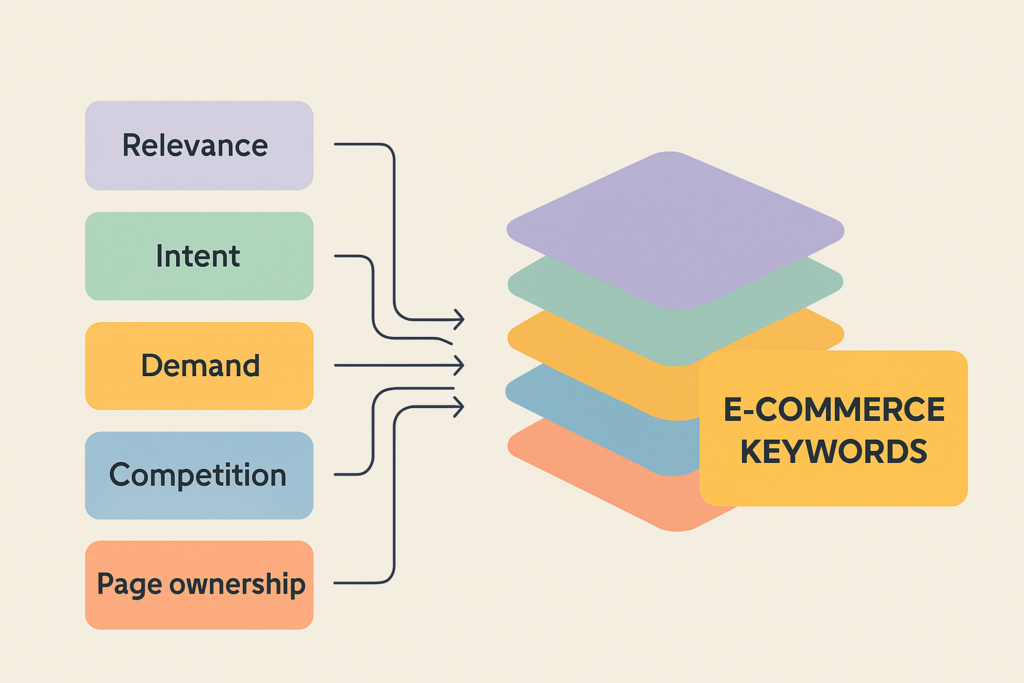
Top product keywords are the search terms most likely to connect your products with the right shoppers. They combine product relevance, buyer intent, demand, competition, commercial value, and a clear page purpose, not search volume alone.
“Top” can mean highest demand, strongest purchase intent, lowest realistic competition, best fit for available inventory, or the largest revenue opportunity. The right answer changes by catalog, market, price point, and channel.
Why the Most Searched Term Is Not Always the Best Keyword
Broad category terms attract attention, but attention is not revenue. A store selling trail-ready footwear may be tempted by “boots,” while “waterproof hiking boots for wide feet” tells you far more about the item required and the shopper’s likely stage.
The broad phrase can trigger fashion inspiration, workwear, repair advice, and product listings. The specific long-tail keyword creates a cleaner match between search, product page, and purchase decision.
That does not make every specific phrase a priority. Review the live organic search results, available search volume, product fit, and commercial viability before assigning a target.
The Five Signals That Make a Product Keyword Worth Targeting
A useful keyword strategy needs a scorecard, not a popularity contest. Rate each candidate High, Medium, or Low across these five signals:
- Product relevance: Does the query accurately describe an item, category, feature, or use case you offer?
- Search intent: Is the shopper researching, comparing, or ready to buy, and can your page meet that need?
- Demand and trend: Is there sustained interest, seasonal upside, or a credible emerging opportunity?
- Competition and CPC: Can your site compete organically, and does paid search data suggest commercial interest without making the term uneconomic?
- Page ownership: Does one existing or planned page have a logical claim to this keyword theme?
Add operating filters where they matter: margin, inventory depth, return rate, shipping constraints, and seasonality. A term with attractive keyword metrics is still a poor target if the product is out of stock, low margin, or unsupported by the right page.
Start With the Product, Not the Keyword Tool

Tools expand ideas quickly. They also introduce noise quickly. Begin with the merchandise, because every useful keyword list needs a commercially relevant seed set.
Pull inputs from categories, subcategories, product types, attributes, buyer segments, use cases, common objections, bundles, and seasonal collections. This first pass prevents a tool from steering your research toward searches that look popular but do not fit the catalog.
Build Seed Terms From Categories, Attributes, and Customer Problems
Use a simple worksheet for every meaningful product line. Combine the elements only where they reflect real products and shopper language.
- Category or type: hiking boots, office chair, insulated tumbler
- Defining attributes: waterproof, ergonomic, stainless steel, two-pack
- Buyer context: for wide feet, for back pain, for commuting
- Use case or problem: winter hiking, long desk days, keeping drinks cold
- Commercial modifiers: best, under a price point, sale, free shipping
“Waterproof hiking boots,” “back pain office chair,” and “two-pack insulated tumbler” are useful patterns because they join a product with a decision factor. They are not automatic targets. Your product specifications must support the wording.
Use Customer Language to Expand Product Ideas
Product teams often use internal names that customers never search. Site-search logs, reviews, support tickets, product Q&As, sales conversations, and return reasons reveal the words shoppers actually use.
Look for repeated benefits, fit concerns, compatibility questions, and use cases. A customer may search for “chair for lower back pain” rather than the manufacturer’s preferred phrase, or “spill proof travel cup” rather than a technical material name.
Keep these phrases in a separate research column until you validate intent. Customer language is excellent for surfacing related keywords, but it should never override product accuracy.
Find Top Product Keywords With a Repeatable Research Process
Strong research blends first-party evidence with external keyword data. One source finds ideas; another validates demand; the search results show what format Google believes the shopper expects.
Use this sequence to keep research practical:
- Create seeds from products, categories, attributes, customer language, and commercial priorities.
- Expand variations through Google autocomplete, People Also Ask, related searches, Google Keyword Planner, and a preferred SEO platform.
- Review the SERP for each promising theme. Note whether product grids, category pages, buying guides, reviews, videos, or marketplaces dominate.
- Check competitors for themes and page formats they cover well or miss entirely.
- Score and map candidates to one appropriate category, product, guide, or campaign page.
Expand Seeds With Keyword Tools and Search Suggestions
Google Keyword Planner and SEO platforms help estimate search volume, competition, CPC, and related keywords. Autocomplete and People Also Ask expose phrasing, modifiers, and questions that may be less visible in a tool database.
Treat keyword tools as idea engines first, validation tools second. A suggestion is not proof of worthwhile monthly demand, and a high-volume estimate is not proof that your store can convert the traffic.
Search suggestions also expose language shifts. If shoppers consistently add a material, size, compatibility detail, or audience qualifier, that detail may deserve product-page copy, a filter, a subcategory, or new merchandising consideration.
Analyze Competitor Keywords Without Copying Competitors
Competitor research should reveal patterns, not supply copy. Review competitor category structures, product titles, description themes, organic landing pages, paid placements, and the content formats ranking for shared commercial terms.
Ask operational questions: Which subcategory has demand but no dedicated collection page? Which comparison topic is supported only by thin content? Which product attribute appears repeatedly in the SERP but is absent from your title, filters, or specifications?
Do not copy competitor copy. Do not force competitor brand names into product pages, metadata, or marketplace fields when they do not accurately describe the product or create legal risk.
Separate Google, Amazon, and Marketplace Keyword Data
Google search volume describes behavior on Google. Amazon keywords describe marketplace discovery, and Etsy-oriented data reflects another marketplace with its own search patterns and buyer expectations.
Autocomplete tools may display current suggestions or relative popularity rather than verified monthly volume. For example, a popularity score on a 0 to 100 scale can help identify relative interest, but it is not interchangeable with a Google volume estimate.
Use the data source that matches where the customer will search and buy. Google data should guide Shopify and WooCommerce SEO decisions. Marketplace data should guide marketplace listings and ads, while still informing broader product and customer-language research.
Prioritize Keywords by Search Intent and Revenue Potential
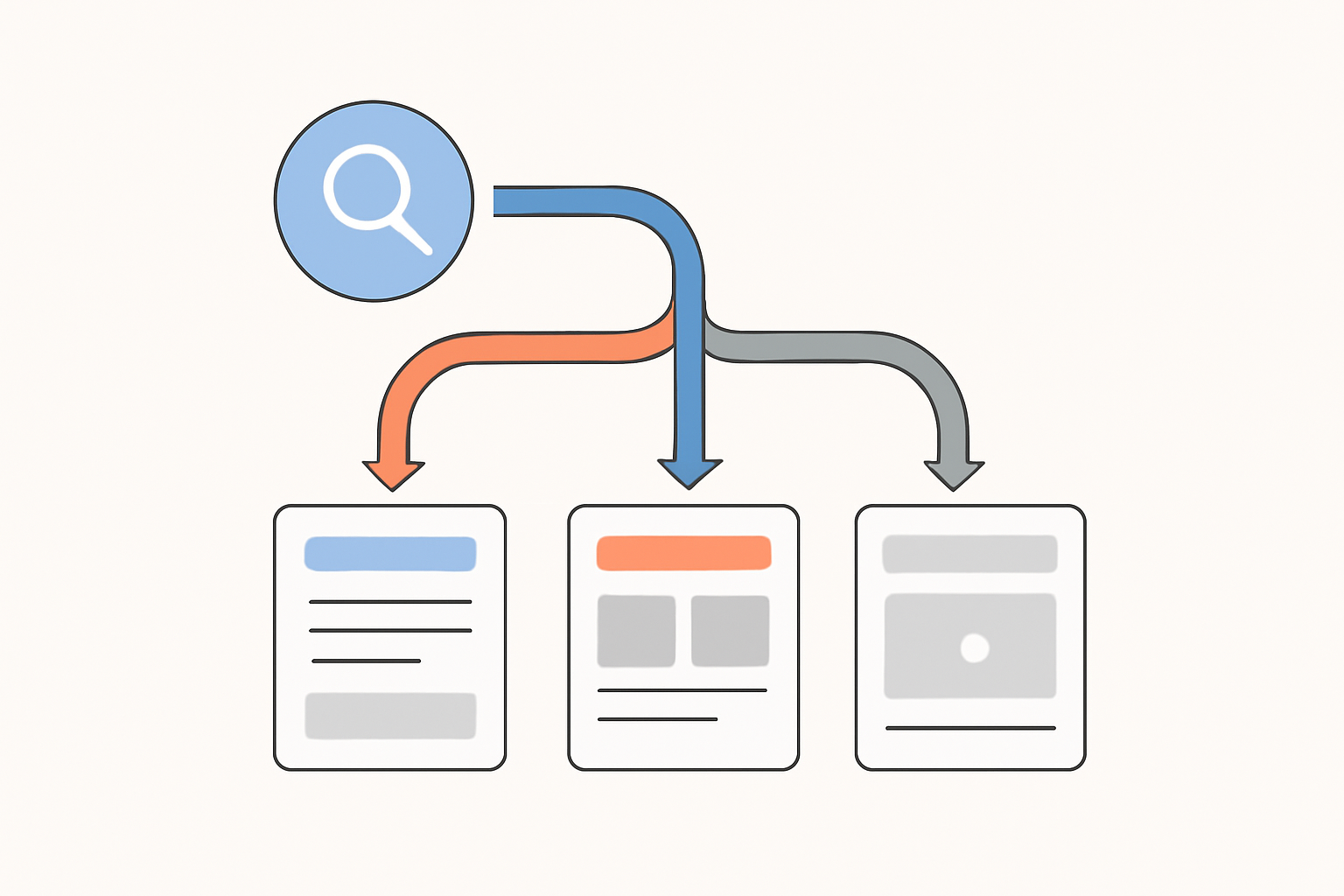
Intent is where a useful keyword list becomes an acquisition plan. Product pages should usually earn commercial and transactional searches, while educational content should handle the questions shoppers ask before comparing products.
Review the actual results page before assigning a keyword. If Google shows buying guides and comparison articles, a thin product page is unlikely to satisfy the query. If it shows category grids, a blog post is probably the wrong asset.
Informational, Navigational, Commercial, and Transactional Intent
Each intent type has a different job:
- Informational: “how to choose hiking boots” or “how to stop office chair back pain.” Use a guide, FAQ, or educational blog post.
- Navigational: searches for your store or a specific brand. Support them with clear brand, category, and product architecture.
- Commercial: “best insulated tumbler,” “office chair reviews,” or “tumbler vs bottle.” Use comparison pages, buying guides, and strong collection pages.
- Transactional: “buy waterproof hiking boots,” “insulated tumbler sale,” or an exact model plus a feature. Use category and product pages with clear price, stock, shipping, and purchase information.
Modifiers such as “best,” “review,” “vs,” and “alternative” signal evaluation. “Buy,” “sale,” “discount,” “deal,” and “free shipping” can signal purchase readiness, but only target them when the page genuinely fulfills the promise.
Use Commercial Modifiers to Identify Buyers Closer to Purchase
Commercial modifiers narrow a shopper’s decision. “Office chair under 500” sets a price expectation; “best office chair for back pain” requests evaluation; “ergonomic office chair free shipping” signals a purchase constraint.
These high-intent keywords can inform PPC campaigns and organic landing pages, but they require honest execution. Do not create a “best” page with no comparison logic, promise a discount that does not exist, or target “free shipping” where exclusions undermine the claim.
Score Each Keyword Before You Add It to a Page
False precision wastes time. A High, Medium, or Low score creates enough consistency for a team to prioritize without pretending that a single keyword metric can forecast revenue.
| Keyword theme | Relevance | Intent | Demand/trend | Competition/CPC | Business value | Target page | Action |
|---|---|---|---|---|---|---|---|
| waterproof hiking boots | High | Commercial | Medium | High | High | Collection page | Build authority and optimize |
| waterproof hiking boots for wide feet | High | Transactional | Medium | Medium | High | Filtered collection or product page | Prioritize |
| how to choose hiking boots | High | Informational | Medium | Medium | Medium | Buying guide | Create supporting content |
| cheap work boots | Low | Transactional | High | Medium | Low | None | Exclude |
The winning terms are the ones with a credible route to revenue. A lower-volume query with strong fit, healthy margin, available inventory, and a clear page owner can beat a broad phrase that produces expensive, unfocused traffic.
Shopify and WooCommerce brands with thousands of URLs or unclear keyword ownership may benefit from SEO.DIGITAL’s e-commerce SEO expertise to turn raw research into a revenue-focused keyword map and technical review.
The Product Keyword Types Every E-commerce Store Should Target
A complete set of top product keywords covers multiple stages of the journey. Relying on one type leaves either discovery, comparison, or conversion unsupported.
Category and Short-Tail Keywords
Category terms define the market you serve. Searches such as “hiking boots” or “office chairs” often belong on category or collection pages because shoppers need options, filters, and product comparisons.
These e-commerce keywords can be competitive and broad. Support them with logical subcategories, useful introductory copy, relevant internal links, and product-specific pages rather than expecting one collection to rank for every variation.
Long-Tail and Product-Specific Keywords
Long-tail keywords add the details that make a purchase possible: size, material, color, fit, model, compatibility, pack size, audience, feature, and use case. They belong naturally in product titles, headings, specifications, variant labels, FAQs, and descriptive copy when accurate.
A product page should be specific enough to answer a buyer’s practical question. “Stainless steel two-pack insulated tumbler” tells both search engines and shoppers more than a vague title built around a brand name alone.
Problem-Solving, Comparison, and Seasonal Keywords
Problem-led searches need helpful content before they need a sales page. A guide on selecting footwear for wet trails can lead readers to waterproof collections; a comparison page can help them choose between product formats.
Seasonal and gifting searches may belong on a collection or temporary campaign page when there is real inventory and unique value. Validate trends against demand, lead times, availability, margins, and the SERP format before investing in content or paid search.
Brand, Competitor, and Marketplace Keywords
Own-brand searches deserve a clean branded experience. Brands you legitimately carry can be targeted where they accurately describe the inventory and customers can shop those products.
Competitor keywords are useful research inputs and can sometimes inform lawful comparison content or paid search strategy. They do not belong in product copy or Amazon backend fields simply to capture traffic from a brand you do not sell or reference legitimately.
Map Top Product Keywords to the Right E-commerce Pages
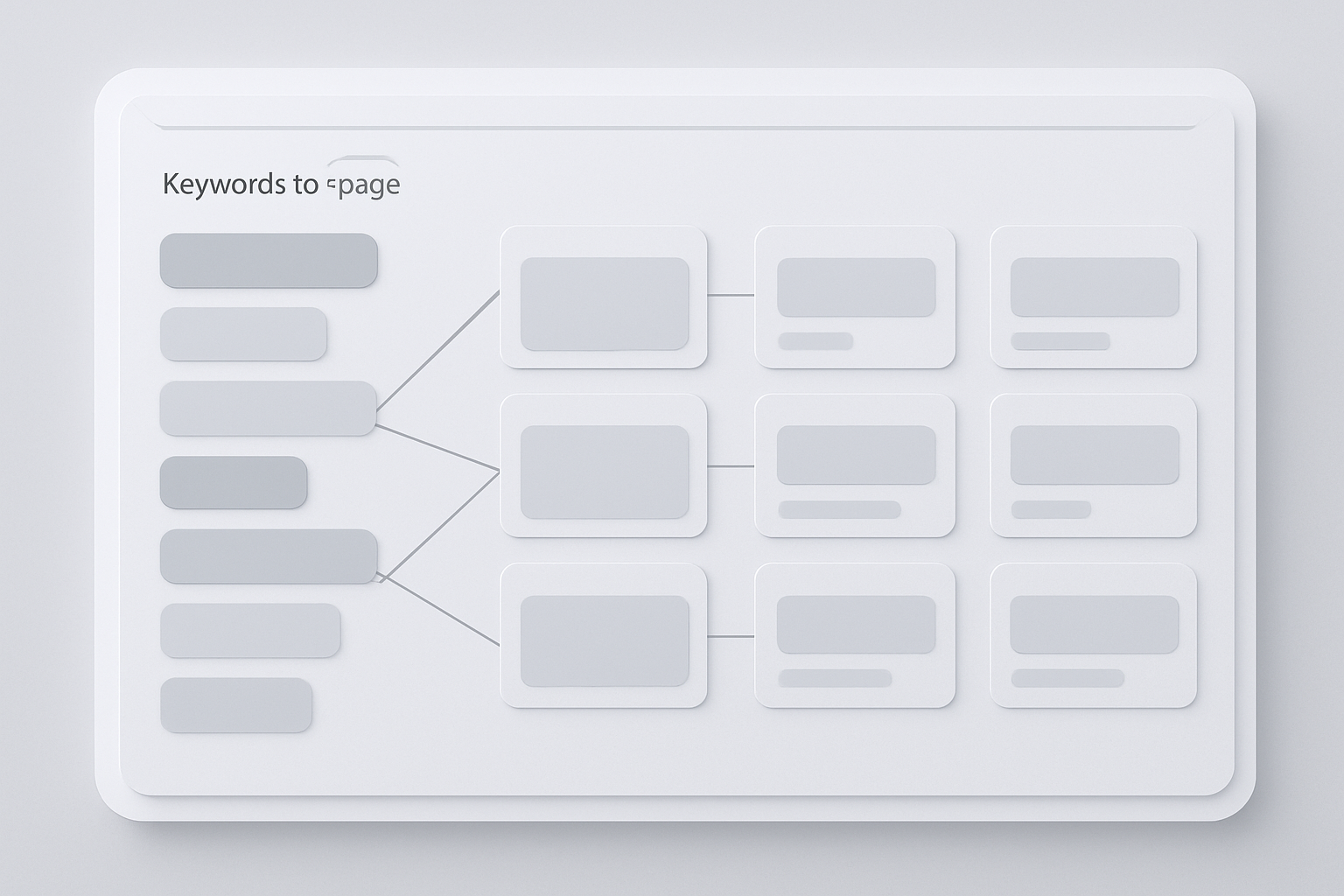
A keyword list becomes a keyword strategy only when every priority theme has a page owner. Without ownership, teams create overlapping category pages, duplicate product copy, and blogs that compete with the pages meant to sell.
Use one primary theme per page, then add closely related supporting terms where they clarify the same intent. The question of do keywords matter in SEO has a practical answer here: this does not require awkward exact-match repetition. It requires a page that genuinely covers the subject.
| Primary keyword theme | Supporting terms | Intent | Page type | Business priority | Measure |
|---|---|---|---|---|---|
| waterproof hiking boots | trail boots, rain hiking footwear | Commercial | Collection page | High | Organic revenue, rankings |
| wide-fit waterproof hiking boots | wide toe box, waterproof wide hiking boots | Transactional | Subcategory or product page | High | Conversion rate, revenue |
| how to choose hiking boots | boot fit, hiking boot materials | Informational | Buying guide | Medium | Assisted revenue, organic visits |
| insulated tumbler vs bottle | travel drinkware comparison | Commercial | Comparison guide | Medium | Clicks to category, assisted revenue |
Need an implementation check? SEO.DIGITAL can audit Shopify and WooCommerce stores to identify keyword cannibalization, missing collection-page opportunities, weak product copy, and technical barriers that stop priority pages from ranking. A Shopify/WooCommerce organic-growth assessment turns those findings into a focused execution path.
Optimize Product Pages for Specific Buyer Searches
Product pages must remove buying friction. Put defining attributes in the title and heading where natural, then support them with accurate descriptions, specifications, images, variant details, FAQs, reviews, and clear stock, delivery, and returns information.
Avoid writing a title that reads like a keyword dump. “Waterproof Hiking Boots, Hiking Shoes, Trail Boots, Best Hiking Footwear” says less than a precise product title that names the material, fit, waterproof rating, and intended use.
For stores that need a deeper product-page optimization process, how to use keywords can help teams standardize titles, descriptions, and on-page relevance.
Build Category Pages Around Category-Level Demand
Collection pages should serve shoppers comparing options. Use commercially aligned category language in the title, heading, intro copy, filters, internal links, and product assortment, then help buyers narrow by meaningful attributes such as size, material, activity, or compatibility.
Do not create a thin page for every minor phrase variation. A separate page needs distinct products, useful filters, differentiated content, or a clear intent that the existing category cannot satisfy.
The places to put keywords on your site should reflect this hierarchy. Broad category terms belong in collections; precise product attributes belong in the product and variant information that proves the item is a match.
Use Blog Content to Capture Problem and Research Queries
Blogs and buying guides earn trust before the sale. Answer the product-selection question directly, show the decision criteria, and guide readers to the category or products that solve the stated need.
Keep the internal path relevant. A guide about selecting desk chairs should lead to the right chair collection, not a generic homepage or an unrelated promotional item.
When a guide answers the shopper’s question and then points to the most relevant collection, search engines meta keywords can provide the next practical step by clarifying what modern metadata does and does not influence.
Use Organic Search and PPC Campaigns Together
Organic search and paid search answer different commercial needs, but their data should meet in the same prioritization process. PPC search-term reports expose real query behavior quickly; organic pages can build durable visibility for proven themes.
Paid ads do not automatically improve organic rankings. The value is informational: paid search reveals which queries convert, which waste budget, and where the site lacks an appropriate landing page.
Turn PPC Search Terms Into Organic Content Opportunities
Run a recurring review of converting paid search terms. Check margin and inventory, inspect the SERP, confirm intent, and determine whether a product page, category, or guide already exists.
If no suitable asset exists, create or improve the page that fulfills the query. If the query is valuable but too broad for a product page, use a supporting guide or collection page rather than forcing it into a single SKU.
Use Negative Keywords to Protect Paid Search Efficiency
Off-topic terms, incompatible models, low-value searches, and unsupported product requests should become negative keywords in PPC campaigns. Do not try to rescue irrelevant traffic by inserting those terms into product pages or ads.
This discipline improves reporting too. When paid search is cleaner, teams can see which keyword themes actually create qualified sessions and which ones only create clicks.
Measure, Refresh, and Improve Your Keyword Strategy
Keyword research is an operating process, not a launch task. Search behavior shifts with seasonality, product availability, new collections, pricing, competitor activity, and changes in the search results.
Review performance monthly and run a deeper refresh before major seasonal periods, launches, assortment changes, and significant inventory moves.
Track Rankings, Traffic, Conversion, and Revenue Together
Rankings are an early signal, not the final score. Track organic landing-page traffic, conversion rate, revenue, assisted conversions where available, average order value, paid search cost, ROAS, and search-term quality.
A page moving from position 12 to position 5 matters only if it earns relevant visits and contributes to revenue. Revenue-first reporting protects the team from celebrating vanity traffic that does not move the business.
Refresh for Seasonality, Trends, and Catalog Changes
Search volume estimates can hide seasonal peaks and declines. Use trend analysis alongside your sales data, inventory position, and marketplace observations before allocating content resources or ad spend.
Refresh the keyword list when a product gains a new feature, a bundle changes, customer terminology shifts, or a fast-rising query appears. Treat Amazon keywords as marketplace evidence, not a substitute for Google demand when optimizing a Shopify or WooCommerce store.
Common Mistakes When Choosing Top Product Keywords
The same errors repeat across large catalogs: teams chase volume, duplicate targets, and optimize copy before they establish intent or page ownership.
Chasing Volume Instead of Relevance
A high-volume phrase that misrepresents the product brings the wrong shopper to the page. That can lower conversion efficiency, increase paid search waste, and produce reporting that looks busy without showing commercial progress.
Prioritize relevant, high-intent keywords that match sellable inventory. Demand matters, but relevance comes first.
Creating Keyword Cannibalization Across Product and Category Pages
Cannibalization happens when multiple pages compete for the same primary keyword and neither sends a clear relevance signal. A category, subcategory, product page, and buying guide can all support the same topic without targeting the exact same intent.
For example, a collection can own “waterproof hiking boots,” a subcategory can own “wide-fit waterproof hiking boots,” an SKU can own its precise model and attributes, and a guide can own “how to choose waterproof hiking boots.”
Treating Keyword Research as a One-Time Task
A static spreadsheet becomes stale. Products change, customer language evolves, search results shift, and competitors build new pages.
Keep the research connected to performance data. Review the terms that drive revenue, the pages losing visibility, and the queries emerging from site search and PPC campaigns.
FAQ: Top Product Keywords
What Are the Most Famous Keywords?
The most famous or most-searched terms are often broad brand, entertainment, or navigational searches. They are rarely the best e-commerce keywords for a specific store. Target search terms that match a sellable category, product, or real buying need.
What Are 10 Common Keywords Used in Digital Marketing?
Common digital-marketing keyword concepts include keyword research, search volume, search intent, long-tail keywords, related keywords, competitor keywords, paid search, organic search, PPC campaigns, and product pages. These are strategy concepts, not a universal list of keywords to place on a store.
What Are the Top 10 Most Googled Words?
The top global Google searches change by country, language, time period, and current events. They are usually irrelevant to a focused catalog. Use product-specific keyword data instead of vanity-volume lists when deciding what to optimize.
What Are Trending Keywords?
Trending keywords are queries showing increased interest over time. Validate them against product relevance, inventory, seasonality, margins, and the SERP before building a category page, launching a product, producing content, or funding a PPC campaign.
Build a Product Keyword Strategy That Drives Qualified Traffic
Top product keywords earn their position through fit, not fame. Start with the product and customer language, expand with research sources, validate intent and keyword metrics, score business value, assign each theme to a page, then measure what produces qualified traffic and revenue.
For Shopify and WooCommerce brands generating $50k+ MRR, SEO.DIGITAL offers a no-obligation deep-dive consultation to build a custom keyword, technical SEO, content, and authority roadmap. If your catalog needs a clearer route from organic visibility to revenue and less wasted ad spend, book a call.