


A store can have excellent products, strong demand, and a growing content budget, yet still send search engines mixed signals about which pages deserve visibility. What is duplicate content in practical terms? It is often a URL-management problem that causes a product, collection, or guide to compete with versions of itself.
The old view treats duplication as copied text and assumes every repeat triggers a penalty. High-performing ecommerce teams take a more useful view: they control one intentional indexable URL for each meaningful search opportunity, then make every supporting signal reinforce that choice.
That matters when filters, variants, tracking links, manufacturer copy, and template rules can create thousands of near-identical pages without anyone publishing a single “duplicate” page on purpose.
What Is Duplicate Content?
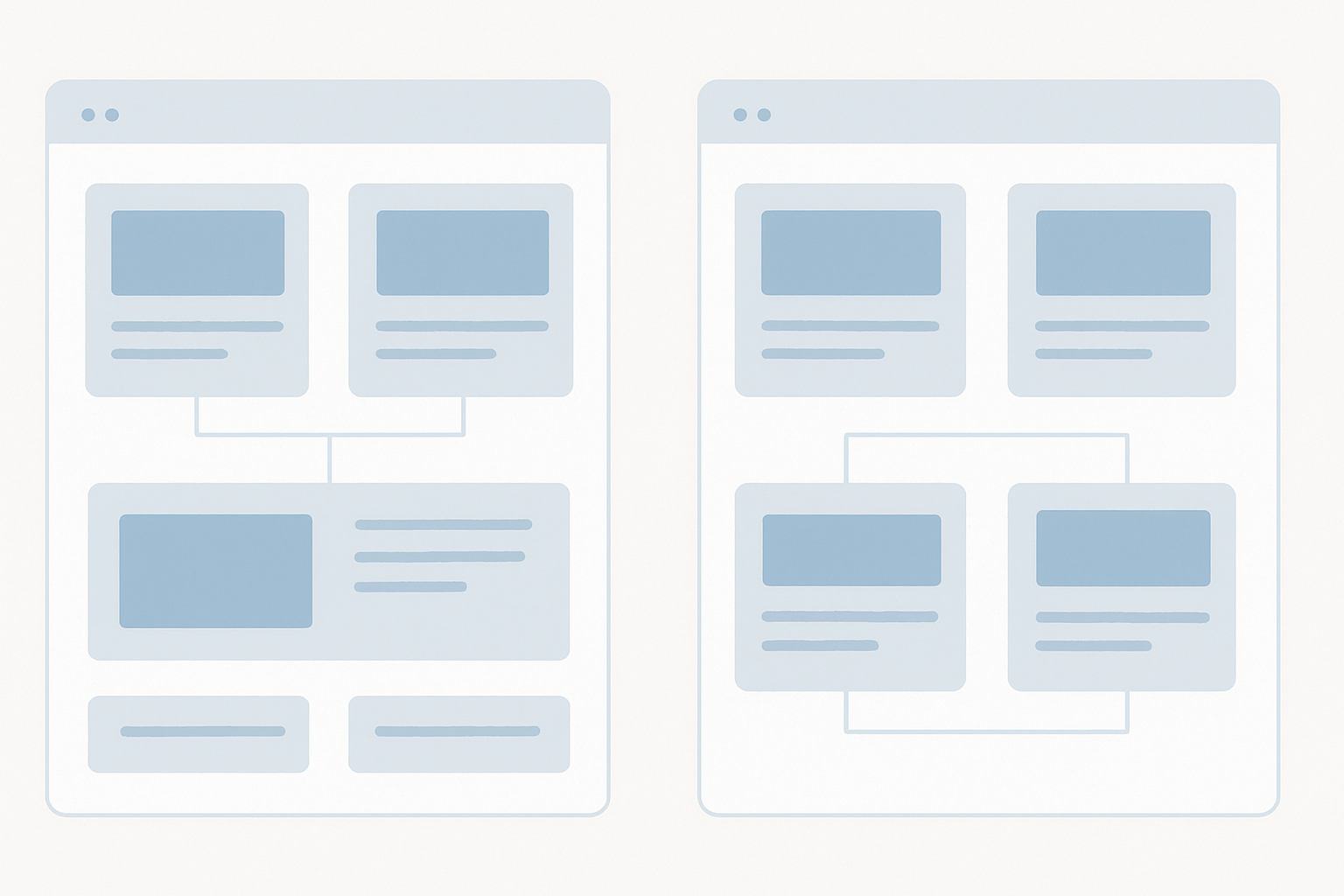
Duplicate content is identical or substantially similar material that appears at more than one URL. Those URLs can sit on the same website or on separate domains, and search engines must decide which version to crawl, index, consolidate, and show.
A collection page for “women’s running shoes” may be reachable through the clean category URL, a color-filter URL, a sort-by-price URL, and a campaign URL with tracking parameters. The products may be the same. The page purpose may be the same. But each address can look like a separate candidate for indexing.
Small repeated elements do not normally create a duplicate-content crisis. Navigation, footer text, legal copy, product specifications, and reusable shipping language are expected parts of a site. The concern begins when the main content and search intent of entire pages substantially overlap.
Because search engines treat each URL as a separate address, a single product can accidentally create multiple indexable versions when store architecture and technical seo vs content seo responsibilities are not tightly controlled.
Internal vs. External Duplicate Content
Internal duplication happens within one domain. External duplication happens across domains. Both can dilute the clarity of the page that should represent the topic, but the people who can fix the issue are often different.
| Internal duplicate content | External duplicate content | |
|---|---|---|
| Where it occurs | Multiple URLs on the same site | Your site and another domain |
| Typical example | Filtered collections, variants, tag archives, HTTP versions | Manufacturer copy, syndication, scrapers |
| Who controls it | Usually your SEO, developer, and merchandising teams | Your team plus publishers, suppliers, or site owners |
| Common response | Redirect, canonicalize, noindex, or consolidate | Establish originality, use attribution, improve unique content, request removal where appropriate |
Internal duplicate pages are usually an architecture and platform-governance issue. External duplication can involve content syndication, supplier feeds, copied editorial work, or scraper sites republishing material without permission.
Is Duplicate Content Bad for SEO?
Duplicate content can hurt SEO when it leaves search engines with several URLs that appear to satisfy the same query. The issue is not that repeated wording automatically makes a site untrustworthy. The issue is that ranking signals and crawl attention may go to the wrong version.
Search engines commonly group similar URLs, select a representative page, and filter the rest from search results. If the selected URL is a filtered collection, a weak variant, or a tracking version rather than the commercial page you intended to rank, organic visibility can suffer.
The operational effects are clear:
- Wrong URL selection: Google may show a page with poor copy, limited stock, or an awkward parameter string.
- Split authority: Links and internal references may point to several duplicate URLs rather than one preferred page.
- Reduced visibility: A strong page can be omitted while a weaker duplicate is indexed instead.
- Poor user journeys: Searchers can land on a temporary sort order or a page that does not match the promise of the result.
How Duplicate Pages Split Signals and Waste Crawl Budget
Every duplicate URL creates another candidate for crawling and evaluation. Link equity, meaning the ranking value passed through links, can become distributed across duplicate pages instead of strengthening the canonical URL, the preferred version that should rank.
This pressure is more acute on large Shopify and WooCommerce stores. A filter system with size, color, brand, availability, and sort options can turn one collection into hundreds of crawlable combinations. A simple multiplication of four sorting options, three display choices, two formats, and one additional option already produces 48 URLs for substantially the same material.
Crawl budget is the amount of crawling attention search engines allocate to a site over time. It is not a fixed quota every store needs to obsess over, but wasting that attention on low-value parameter pages can slow discovery of new products, key collections, and refreshed editorial content.
Internal links either sharpen or weaken this signal. Linking consistently to the preferred product or collection URL tells search engines which version the business stands behind. Linking randomly to filtered, redirected, or parameterized URLs does the opposite.
Does Google Punish Duplicate Content?
Accidental duplicate content is not automatically a penalty. Search engines generally cluster similar versions, choose one canonical or representative URL, and filter other versions from search results.
That does not make the issue harmless. A filtered or unintended URL can be selected, important pages can be crawled less efficiently, and ranking signals can be fragmented. The practical impact may be lost visibility without a manual action or a dramatic sitewide collapse.
Deliberate scraping, copied pages designed to manipulate results, or deceptive syndication practices create a different level of risk. The useful distinction is between ordinary technical duplication and behavior intended to mislead users or search engines. For a deeper explanation of what actually harms visibility, review the difference between a duplicate content penalty and normal canonical selection.
Common Causes of Duplicate Content
Most duplicate-content problems are not editorial mistakes. They are produced by platform settings, templates, tracking systems, product-data feeds, and site changes that leave several URLs accessible at once.
The table below helps separate common patterns from the treatments that typically fit them. The correct choice still depends on whether the extra URL has a distinct commercial or search purpose.
| Cause | Ecommerce example | Best treatment | Why it matters |
|---|---|---|---|
| Parameters and filters | A collection filtered by color and sorted by price | Canonicalize, noindex, or restrict indexing based on value | Can create large volumes of duplicate URLs |
| URL format variations | HTTP, HTTPS, www, non-www, or trailing slash versions | 301 redirects and consistent internal links | Splits sitewide signals |
| Near-identical variants | Separate color pages with the same copy and images | Canonicalize or enrich pages with distinct value | Can compete for the same terms |
| Supplier descriptions | Identical manufacturer copy across retailers | Add original copy and merchandising detail | Offers little reason to rank one retailer over another |
| Staging or archives | Indexed test site, tag archive, or internal search page | Noindex or secure the environment | Adds low-value indexable pages |
URL Parameters, Filters, Sorting, and Tracking URLs
URL parameters add information to a URL, often for filters, sort orders, session handling, or tracking. They are useful for shoppers and analysts, but they can produce duplicate URLs when the underlying page remains largely unchanged.
For example, a shoe collection may generate separate pages for ?color=black, ?size=9, ?sort=price-desc, and combinations of all three. Parameter order can create further copies, even when the selected inventory barely changes.
Not every filtered page is a problem. A tightly curated landing page for a high-demand query such as “black trail running shoes” may deserve its own copy, internal links, and indexable URL. A temporary sort order with no unique search value usually does not.
UTM tags and click-tracking parameters should not become the URLs your site links to internally. Keep campaign measurement intact, but ensure canonical tags and internal navigation point to the clean preferred page.
HTTP, HTTPS, WWW, Non-WWW, and URL Formatting Variations
Protocol and hostname duplication can affect every page on a site at once. If HTTP and HTTPS, or www and non-www, both serve the same content without consistent redirect behavior, search engines see separate URLs.
Choose one preferred format and permanently redirect the alternatives with 301 redirects. Apply the same discipline to trailing slashes, capitalization rules, default index-page URLs, and product URL conventions.
A canonical URL is the version you want search engines to treat as primary. Redirects establish the strongest signal when an alternative page is unnecessary, while canonical tags help when both versions must remain live. In either case, update internal links to the preferred version rather than sending crawlers through redirects.
Product Variants, Manufacturer Descriptions, and Template Copy
Product variants deserve more judgment than a blanket rule. A color, size, bundle, or configuration URL can be a legitimate page if it has distinct inventory, pricing, imagery, specifications, use cases, and search demand.
It becomes a duplicate-content risk when the only difference is a dropdown selection and the page offers no independent value in search. A red chair with unique photos, availability, and a strong query pattern may merit a page. Ten size URLs that reuse the same title, copy, image set, and intent often do not.
Manufacturer descriptions create a second problem. When dozens of retailers use the same supplier text, the product page provides search engines little distinctive information to evaluate. The strongest product pages pair accurate specifications with copy that gives shoppers a genuinely useful reason to choose that specific version, proving that content is king in seo only when it serves a clear buyer need.
Filters, variants, and supplier feeds create duplication at a scale that is hard to assess from a spreadsheet alone. SEO.DIGITAL’s Shopify and WooCommerce technical audits identify which seo duplicate content product pages are affecting commercially important product and collection pages first.
Syndication, Scrapers, Regional Pages, Pagination, and Staging Sites
Content syndication can expand reach, but the original source should be clear. Use agreed attribution, link back to the original where appropriate, and avoid republishing full articles across multiple owned domains without a canonical strategy.
Scrapers require monitoring, especially for high-value editorial assets and distinctive product copy. Search a unique sentence in quotation marks to locate obvious copies, then assess whether the original page has clear publication signals, internal links, and a self-referencing canonical.
Same-language regional pages can also overlap heavily. Use hreflang when pages genuinely target different languages or regional audiences, with meaningful differences in currency, inventory, delivery, compliance, or local content. Different languages are usually not duplicate content; nearly identical same-language pages without a regional reason can be.
Pagination, printer pages, and staging environments need deliberate treatment. Staging sites should be protected from indexing, while low-value utility pages may need meta robots directives rather than inclusion in XML sitemaps.
How Can I Check for Duplicate Content on My Website?

Check duplicate content by reviewing indexing patterns, inspecting canonical selection, crawling your site, and searching for external copies. Start with pages that drive revenue or should drive revenue, not with a blanket mission to rewrite every similar URL.
Use this workflow:
- Map indexable URL patterns. List product, collection, filter, search, tag, regional, and campaign URL formats.
- Inspect important pages. Compare your declared canonical with the version Google selected.
- Crawl at scale. Find repeated titles, meta descriptions, body copy, redirect chains, and conflicting directives.
- Check external reuse. Search quoted phrases from priority pages and investigate supplier or scraper copies.
- Prioritize business impact. Fix pages with strong demand, current rankings, valuable links, or revenue potential first.
Use Google Search Console to Review Canonical and Indexing Signals
Google Search Console reveals whether Google agrees with the canonical URL your site declares. In URL Inspection, compare the user-declared canonical with the Google-selected canonical for priority product and collection pages.
Several statuses deserve immediate review:
- Duplicate without user-selected canonical: Google found similar pages, but your site did not clearly name a preferred version.
- Duplicate, Google chose different canonical than user: You supplied a canonical tag, but stronger signals pointed Google elsewhere.
- Duplicate, submitted URL not selected as canonical: A sitemap submitted a URL that Google considers a duplicate of another page.
These reports are prompts to investigate, not automatic proof of an error. Check canonical tags, indexability, page similarity, XML sitemap inclusion, redirects, and internal linking together. A canonical tag pointing one way while navigation and sitemaps point another is a weak implementation.
Crawl the Site and Check External Copies
A crawler turns individual URL findings into patterns. Screaming Frog SEO Spider, Ahrefs Site Audit, Semrush Site Audit, and Siteliner can surface exact duplicate content, near duplicates, repeated titles, repeated meta descriptions, canonical conflicts, redirects, and indexability issues.
Near-duplicate reports require editorial judgment. A 90% similarity threshold can be useful for locating candidates, but it cannot decide whether a product variant has enough distinct commercial value to stand on its own.
For manual checks, run site:yourdomain.com searches for repeated page titles or common URL structures. Search a distinctive sentence from a product description in quotation marks to find pages on other domains. This combination catches issues a duplicate content checker may miss, especially copied supplier text and scraper activity.
How Do You Fix Duplicate Content?
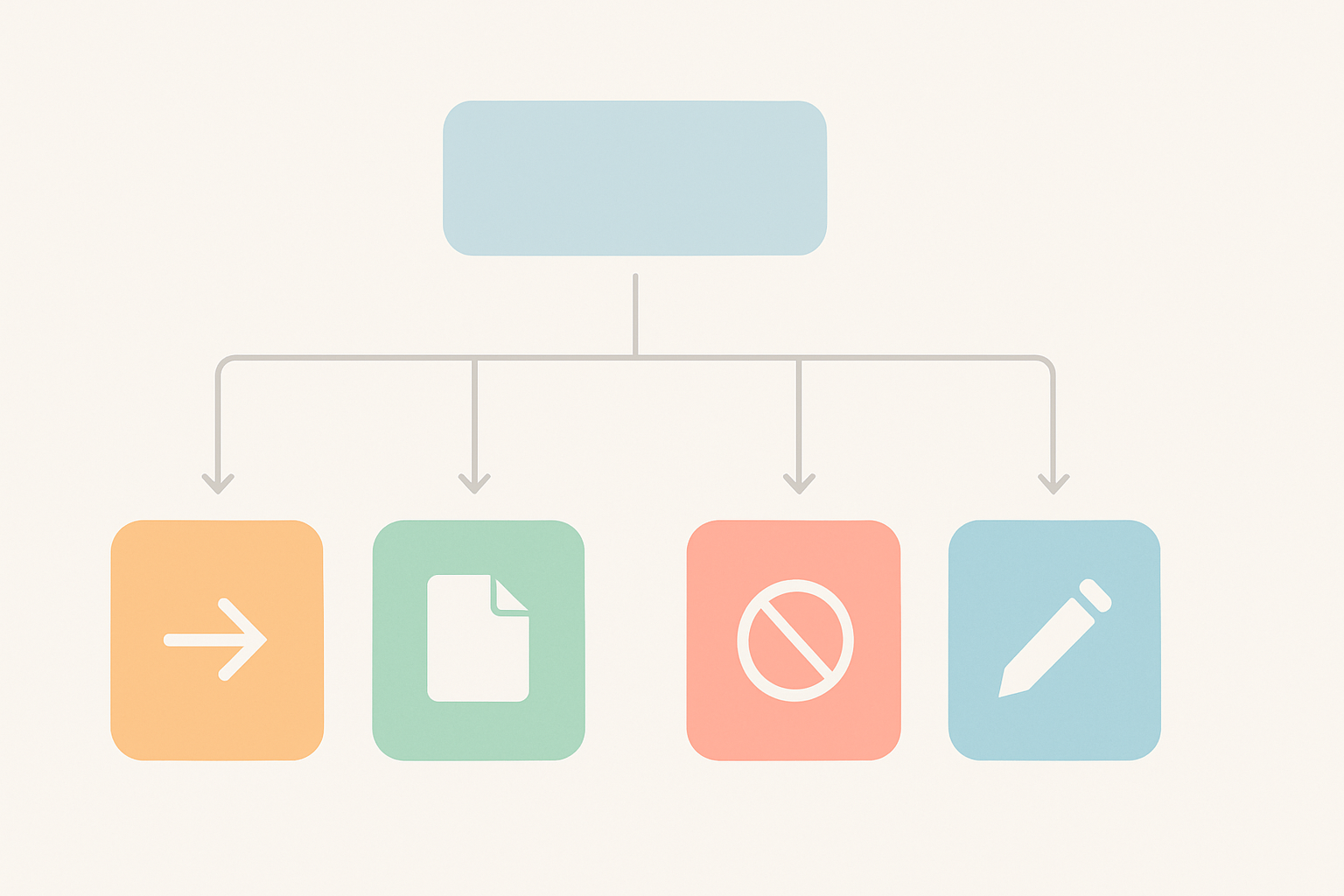
Fix duplicate content by first deciding the role of the extra URL: should it disappear, remain available while consolidating signals, stay usable but out of search, or become a materially different page? Redirects, canonical tags, noindex directives, and rewriting solve different problems.
Treating them as interchangeable creates more confusion. A clean decision depends on user need, search demand, inventory relevance, URL permanence, and the page’s ability to offer unique content.
Use 301 Redirects When Only One Page Should Exist
A 301 redirect permanently sends visitors and search engines from an old or unnecessary URL to the preferred destination. Use it when the duplicate page has no reason to remain accessible.
Common examples include non-preferred HTTP or hostname versions, retired product URLs with a close replacement, duplicate trailing-slash versions, and two articles merged into one stronger resource. The redirect consolidates users and available link equity around the surviving page.
Do not leave the job at the redirect rule. Update navigation, collection links, breadcrumbs, blog links, and XML sitemaps so they point directly to the final canonical URL. Redirect chains waste crawl resources and make maintenance harder.
Use Canonical Tags When Variants Must Remain Available
Canonical tags tell search engines which URL is the preferred version among substantially similar pages. They are useful when customers need access to parameterized pages, certain product variations, print pages, or managed syndicated copies, but those URLs should not compete independently in search.
Place the canonical link element in the HTML <head> of the duplicate or near-duplicate page:
<link rel="canonical" href="https://www.example.com/preferred-product-page/">
A self-referencing canonical points a preferred page back to itself. It reinforces the original URL, but it is a signal rather than an override. Canonical tags work best when page content, internal links, sitemaps, redirects, and indexability all support the same choice.
Use Meta Robots Noindex for Low-Value Pages That Must Stay Accessible
Meta robots noindex keeps a page out of search results while allowing it to remain available to shoppers. It suits low-value internal-search pages, some tag and archive pages, placeholders, test environments, and utility URLs with no organic-search role.
The implementation is typically <meta name="robots" content="noindex,follow">. The follow value allows crawlers to continue through links on the page.
Do not block a page in robots.txt when you need search engines to process its noindex directive. If crawling is blocked, the crawler may never see the meta robots instruction. Also remove noindexed URLs from XML sitemaps so your indexing signals stay consistent.
Rewrite or Consolidate Similar Pages That Should Compete Separately
Rewrite similar pages only when each page can earn its own place in search. Distinct use cases, query demand, original copy, unique imagery, specifications, reviews, FAQs, and merchandising intent can justify separate pages.
If two collections target the same buyer and show nearly the same inventory, one stronger collection plus a 301 redirect is often better than two thin competitors. The same principle applies to overlapping blog posts and location pages built from a repeated template.
Not sure whether a page should be redirected, canonicalized, noindexed, or rebuilt? SEO.DIGITAL can provide a Shopify or WooCommerce technical SEO audit that prioritizes the fixes most likely to protect revenue-driving organic visibility.
How to Prevent Duplicate Content on an eCommerce Store
Duplicate-content prevention is a governance job, not a one-time technical SEO ticket. Merchandising, content, development, and growth teams all create URLs or publish information that can alter canonical signals.
Build these controls into normal store operations:
- Set URL rules: Document preferred hostname, protocol, trailing-slash, collection, product, and parameter conventions.
- Control indexation: Decide which filters, internal-search pages, archives, and regional URLs have genuine search value before they are exposed to crawling.
- Standardize internal links: Require templates, feeds, campaign teams, and editorial teams to link to preferred canonical URLs.
- Protect content quality: Give priority products and collections differentiated copy, images, FAQs, and merchandising context rather than relying only on manufacturer descriptions.
- Review monthly: Use Google Search Console and recurring crawls to catch unexpected URL patterns, conflicting canonicals, and indexed staging pages.
The goal is not zero repeated words. It is a clear purpose for every indexable page. When a new filter, app, product feed, or regional storefront launches, treat canonical governance as a launch requirement rather than a cleanup task after rankings slip.
Duplicate Content FAQ
Is Duplicate Content Bad for SEO?
It can be. Duplicate content may cause search engines to filter pages, choose an unintended canonical URL, divide links and internal signals, and spend crawl resources on low-value duplicates. The impact depends on scale, the value of affected pages, and whether canonical signals consistently identify one preferred version.
Does Google Punish Duplicate Content?
Accidental duplicate content is generally not an automatic penalty. Search engines usually select or filter a preferred version from search results, while deliberate copying or manipulation intended to deceive users can create greater risk. Routine technical duplication still deserves attention because it can weaken search engine rankings indirectly.
How Much Duplicate Content Is Acceptable?
There is no reliable universal percentage of duplicate content that is “safe.” Focus instead on whether each indexable URL has a unique purpose, meaningful value, clean canonical signals, and a legitimate reason to appear independently in search results.
How Do You Fix Duplicate Content?
Choose the treatment based on the page’s purpose. Use a 301 redirect when only one URL should exist, a canonical tag when similar URLs must remain available, noindex for low-value usable pages, and rewriting or consolidation when pages need distinct search value or should become one stronger resource.
Turn Duplicate-Content Cleanup Into Stronger Organic Revenue
The outcome is not a site with no repeated product specifications or boilerplate. It is one intentional indexable URL for every meaningful search opportunity, with canonicals, redirects, internal links, sitemaps, and content all pointing in the same direction.
Start with the pattern affecting commercial pages, choose the treatment that matches the URL’s role, validate Google’s canonical selection, and monitor the issue as new products, filters, and campaigns go live. That creates cleaner crawling, concentrates link equity, and gives important product and collection pages a stronger chance to earn visibility.
Shopify and WooCommerce brands generating $50k+ MRR can book a call with SEO.DIGITAL for a no-obligation deep-dive into revenue goals, technical roadblocks, and a tailored site-health audit and execution roadmap.